AI Medical Answering Service: HIPAA-Compliant Guide 2026
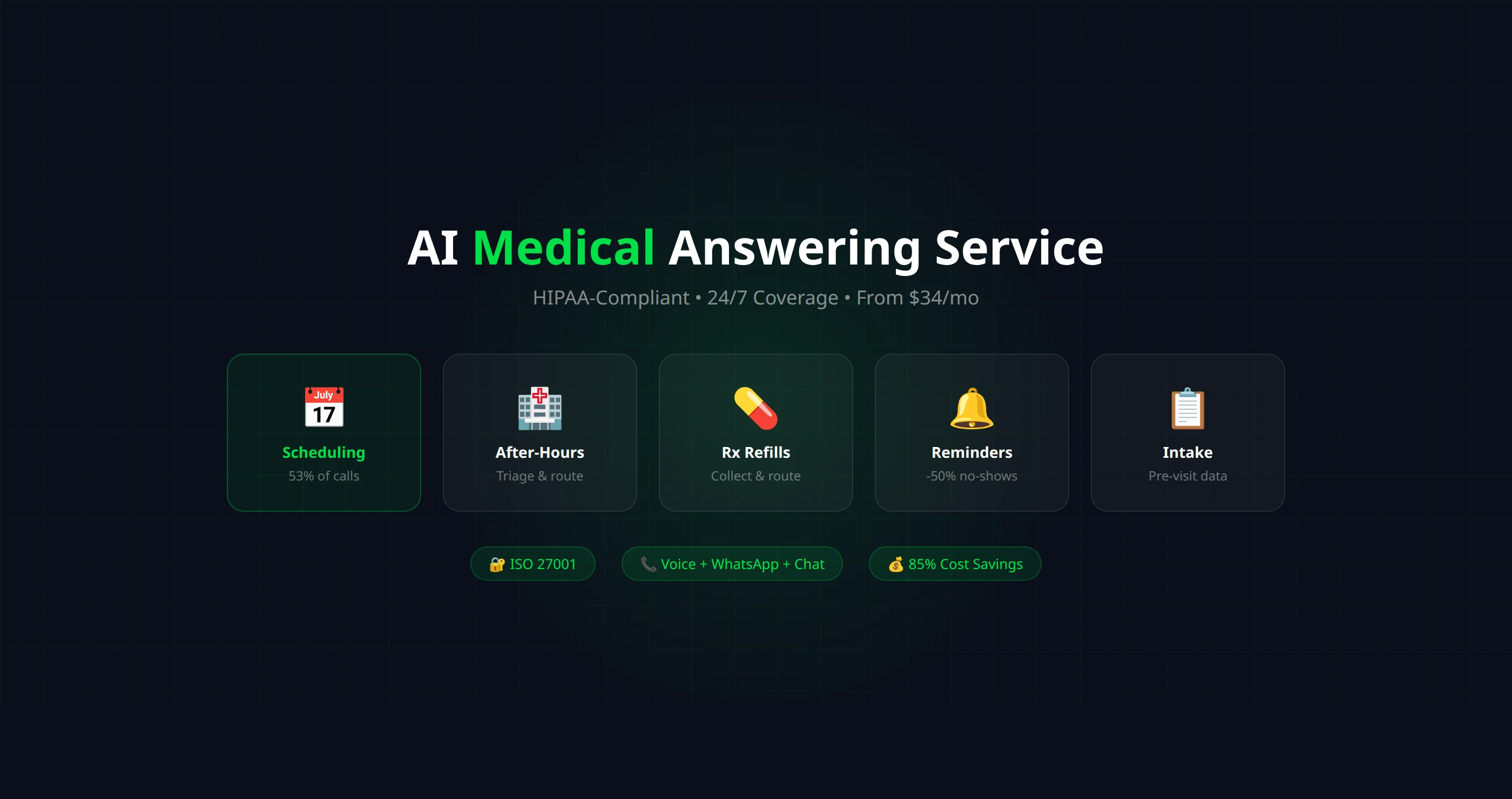
Medical practices handle thousands of patient calls per month — appointment scheduling, prescription refills, test results, insurance verification. An AI medical answering service handles the routine calls 24/7 while ensuring patient data stays protected. This guide covers how it works, HIPAA compliance requirements, and which platforms are suitable for healthcare — AI answering service
Why Healthcare Needs AI Answering Services
Medical practices face unique phone challenges that make them ideal candidates for AI answering:
53%
of patient calls are about scheduling — a task AI handles perfectly
30%
of calls go unanswered during peak hours when staff are with patients
24/7
patients expect to reach their provider — not just during 9-to-5 business hours
The traditional solution — hiring more front desk staff or outsourcing to a medical answering service — is expensive ($2,500–$5,000/month) and still limited to human availability. An AI answering service provides unlimited concurrent calls at a fraction of the cost.
Top Use Cases for AI in Medical Practices
📅 Appointment Scheduling
AI books, reschedules, and cancels appointments in real time. Integrates with EHR/PM systems or scheduling tools like Calendly and Cal.com. Handles the 53% of calls that are purely about scheduling.
🏥 After-Hours Triage
AI asks screening questions to determine urgency. Non-urgent: schedules a callback. Urgent: transfers to on-call provider immediately. Reduces unnecessary ER visits while ensuring emergencies get fast attention.
💊 Prescription Refill Requests
Collects medication name, dosage, pharmacy preference, and patient information. Routes the request to the appropriate provider for approval. Eliminates phone tag between patients, staff, and pharmacies.
📋 Patient Intake
Collects new patient information before their first visit: demographics, insurance details, medical history basics, reason for visit. Data is sent to staff for review, saving 10–15 minutes per new patient check-in.
🔔 Appointment Reminders (Outbound)
AI calls patients 24–48 hours before their appointment to confirm. Patients can confirm, reschedule, or cancel via the call. Reduces no-show rates by 30–50%, recovering thousands in lost revenue per month.
🏢 Insurance and Billing Questions
Answers common insurance questions ("Do you accept Aetna?"), provides office visit cost estimates, and explains basic billing processes. Complex billing disputes transfer to staff.
HIPAA Compliance: What You Must Know
HIPAA (Health Insurance Portability and Accountability Act) governs how protected health information (PHI) is handled. Any AI system that processes patient data must comply. Here's what matters:
📜 Business Associate Agreement (BAA)
Required. Any vendor handling PHI must sign a BAA with your practice. This legally binds them to protect patient data. If your AI platform won't sign a BAA, they're not HIPAA-suitable. Ask before signing up — not after.
🔐 Encryption
Required. All PHI must be encrypted at rest (AES-256) and in transit (TLS 1.2+). This includes call recordings, transcripts, caller information, and any data stored by the platform. Verify the platform's encryption standards explicitly.
📝 Access Controls
Required. Role-based access: only authorized personnel should access call recordings and patient data. Audit logs must track who accessed what and when. The platform should support multi-factor authentication.
🗑️ Data Retention
Important. Define how long call recordings and transcripts are stored, and ensure automatic deletion policies are in place. HIPAA doesn't specify retention periods, but your practice's policies should. Less data stored = less risk.
🏅 Security Certifications
Strongly recommended. Look for platforms with ISO 27001, SOC 2 Type II, or explicit HIPAA compliance certifications. These demonstrate independently audited security practices — not just self-reported claims.
🤖 AI Model Data Usage
Verify. Confirm that the AI model provider (OpenAI, Anthropic, etc.) does not use your call data for training. Most enterprise agreements include this clause, but verify with your platform provider to ensure patient conversations stay private.
⚠️ HIPAA is not optional
HIPAA violations carry penalties of $100–$50,000 per violation (up to $1.5M per year). If your AI platform handles patient data without proper safeguards, your practice is liable. The platform's non-compliance doesn't excuse yours. Due diligence is critical.
AI Platforms Suitable for Healthcare
Not every AI voice platform meets healthcare requirements. Here's what to evaluate:
| Platform | BAA Available | Certification | Encryption | Starting Price | Channels |
|---|---|---|---|---|---|
| Autocalls | Contact sales | ISO 27001 ✅ | AES-256 + TLS ✅ | $34/mo | Voice + WhatsApp + Chat |
| Synthflow | Verify | SOC 2 | ✅ | $29/mo + BYOK | Voice only |
| Retell AI | Enterprise only | SOC 2 | ✅ | Free tier (BYOK) | Voice only |
Important: Always verify compliance directly with the platform. Certifications and BAA availability can change. Ask for documentation, not just marketing claims. For a full pricing comparison, see our AI voice agent pricing guide.
Implementation Guide for Medical Practices
Week 1: Setup and configuration
Create your AI assistant with a healthcare-specific prompt. Include: practice info, providers and specialties, scheduling rules (new patient = 60 min, follow-up = 15 min), accepted insurance, emergency triage protocol, HIPAA-compliant language (no diagnoses, no medical advice). See our step-by-step build guide.
Week 2: Testing with staff
Have your office staff call the AI simulating common scenarios: appointment booking, prescription refill, insurance question, emergency, non-English speaker. Refine the prompt until conversations meet your quality standards. Pay special attention to what the AI does not say — it should never offer medical advice or diagnoses.
Week 3: After-hours pilot
Go live with AI handling after-hours calls only. This is the lowest-risk deployment — calls that currently go to voicemail now get a live AI response instead. Monitor call recordings daily and adjust the prompt as needed.
Week 4+: Expand to business hours
Once after-hours performance is solid, add overflow handling during business hours (AI picks up after 3 rings). Then outbound appointment reminders. Gradually increase the AI's role as you build confidence in its performance.
ROI for Medical Practices
Monthly Cost Savings
$2,000–$4,500
vs. traditional medical answering service or additional staff
No-Show Reduction
30–50%
via automated appointment reminder calls
Revenue Recovered
$3,000+/mo
from captured after-hours calls and reduced no-shows
For a typical medical practice with 100+ calls/week, AI answering pays for itself within the first week of deployment. The math is simple: AI at $149–$299/month vs. a human answering service at $2,500–$5,000/month — with better availability and consistent quality.
For dental practices specifically, the ROI is even more immediate because every missed call directly equals a lost patient booking — AI receptionist

 5.0
5.0 5.0
5.0