NEW Your $0 → $50K MRR voice AI playbook . The full path to a profitable AI voice agency. Free. Get it free
GitHub
Autocalls.ai

Connect GitHub with Autocalls.ai AI voice agents

GitHub AI Voice Call Automation

Turn GitHub activity into instant AI calls, alerts, and follow-ups. Keep developers, customers, and support teams updated without manual outreach.

Developer tools
7 Actions
4 Triggers
Autocalls Autocalls
Turn GitHub issues into instant phone integration workflows
Issue Alerts

Turn GitHub issues into instant phone integration workflows

When a new issue is opened or updated, your AI voice agent can call the right teammate, customer, or on-call engineer right away. This helps teams speed up incident response and combine GitHub events with AI answering service and integrations for faster resolution.
Use issue details, comments, and repository context to trigger targeted call automation instead of waiting on manual check-ins.

  • 60% faster issue response
  • 24/7 alert coverage
Automate pull request outreach with an AI auto dialer
PR Follow-Up

Automate pull request outreach with an AI auto dialer

When a new pull request is created, your GitHub auto dialer can notify reviewers, managers, or clients with a clear phone update and next-step prompt. It is a practical way to reduce delays and connect engineering updates to AI call center automation and appointment booking for scheduled review calls.
Teams can also add comments back to the issue or pull request after the call so every action is documented inside GitHub.

  • 45% faster review coordination
  • 90% fewer missed handoffs
Build custom GitHub call automation with API and voice agent logic
Custom Workflows

Build custom GitHub call automation with API and voice agent logic

Use raw GraphQL queries, custom API calls, and repository triggers to create highly specific GitHub phone automation for support, QA, and release workflows. Your team can route urgent events into AI virtual receptionist flows or connect status updates across WhatsApp AI chatbot and voice channels.
From issue locking to comment creation, every action can launch a smart call flow that keeps people informed without extra manual work.

  • 80% less manual follow-up
  • 100% logged interactions

Available Actions

Powerful actions you can trigger with GitHub to automate your workflows

Lock issue

Locks the specified issue

Configuration Fields:
Repository Required DROPDOWN
Lock Reason DROPDOWN

The reason for locking the issue

Issue Number Required NUMBER

The number of the issue to be locked

Unlock issue

Unlocks the specified issue

Configuration Fields:
Repository Required DROPDOWN
Issue Number Required NUMBER

The number of the issue to be unlocked

Custom API Call

Make a custom API call to a specific endpoint

Configuration Fields:
Required DYNAMIC
Body JSON
Method Required STATIC_DROPDOWN
Headers Required OBJECT

Authorization headers are injected automatically from your connection.

Timeout (in seconds) NUMBER
No Error on Failure CHECKBOX
Query Parameters Required OBJECT

Raw GraphQL query

Perform a raw GraphQL query

Configuration Fields:
Query Required LONG_TEXT
Parameters OBJECT

Get issue information

Grabs information from a specific issue

Configuration Fields:
Repository Required DROPDOWN
Issue Number Required NUMBER

The number of the issue you want to get information from

Create Issue

Create Issue in GitHub Repository

Configuration Fields:
Title Required SHORT_TEXT

The title of the issue

Labels MULTI_SELECT_DROPDOWN

Labels for the Issue

Assignees MULTI_SELECT_DROPDOWN

Assignees for the Issue

Repository Required DROPDOWN
Description LONG_TEXT

The description of the issue

Create comment on a issue

Adds a comment to the specified issue (also works with pull requests)

Configuration Fields:
Comment Required LONG_TEXT

The comment to add to the issue

Repository Required DROPDOWN
Issue number Required NUMBER

The number of the issue to comment on

Autocalls Autocalls

Available Triggers

Events in GitHub that can automatically start your workflows

Push

Triggers when there is a push to a repository branch. This includes when a commit is pushed, when a commit tag is pushed, when a branch is deleted, when a tag is deleted, or when a repository is created from a template.

Configuration Fields:
Repository Required DROPDOWN

New Star

Trigger when there is activity relating to repository stars.

Configuration Fields:
Repository Required DROPDOWN

New Issue

Triggers when there is activity relating to an issue.

Configuration Fields:
Repository Required DROPDOWN

New Pull Request

Triggers when there is activity on a pull request.

Configuration Fields:
Repository Required DROPDOWN
Autocalls Autocalls

Examples of automation flows

Real-world examples of how businesses use GitHub integration to automate workflows

Call On-Call Engineers for New Issues

When GitHub detects a new issue, the AI voice agent calls the on-call engineer with a spoken summary. This reduces triage delays and speeds up first response.

PR Review Reminders by Phone

A new pull request can trigger an AI call to assigned reviewers and team leads. This helps keep releases moving without relying only on chat or email.

Star Activity Sales Follow-Up

When a repository gets a new star, your team can trigger a call to qualified leads or partner contacts. This turns developer interest into timely outreach.

Push Alerts for Critical Repositories

A push event on a key branch can launch an immediate phone update to stakeholders. This keeps release, QA, or support teams aligned in real time.

Issue Updates Logged After Calls

After an AI call, the workflow can create a comment on the related issue with the outcome. This keeps GitHub records current without extra admin work.

Custom API Escalation Calls

A custom API call or GraphQL query can detect special conditions and start an escalation call. This gives teams flexible GitHub call automation for unique processes.

Integrate with popular tools using our no-code platform

Easily manage AI voice agents without the need for programming skills.

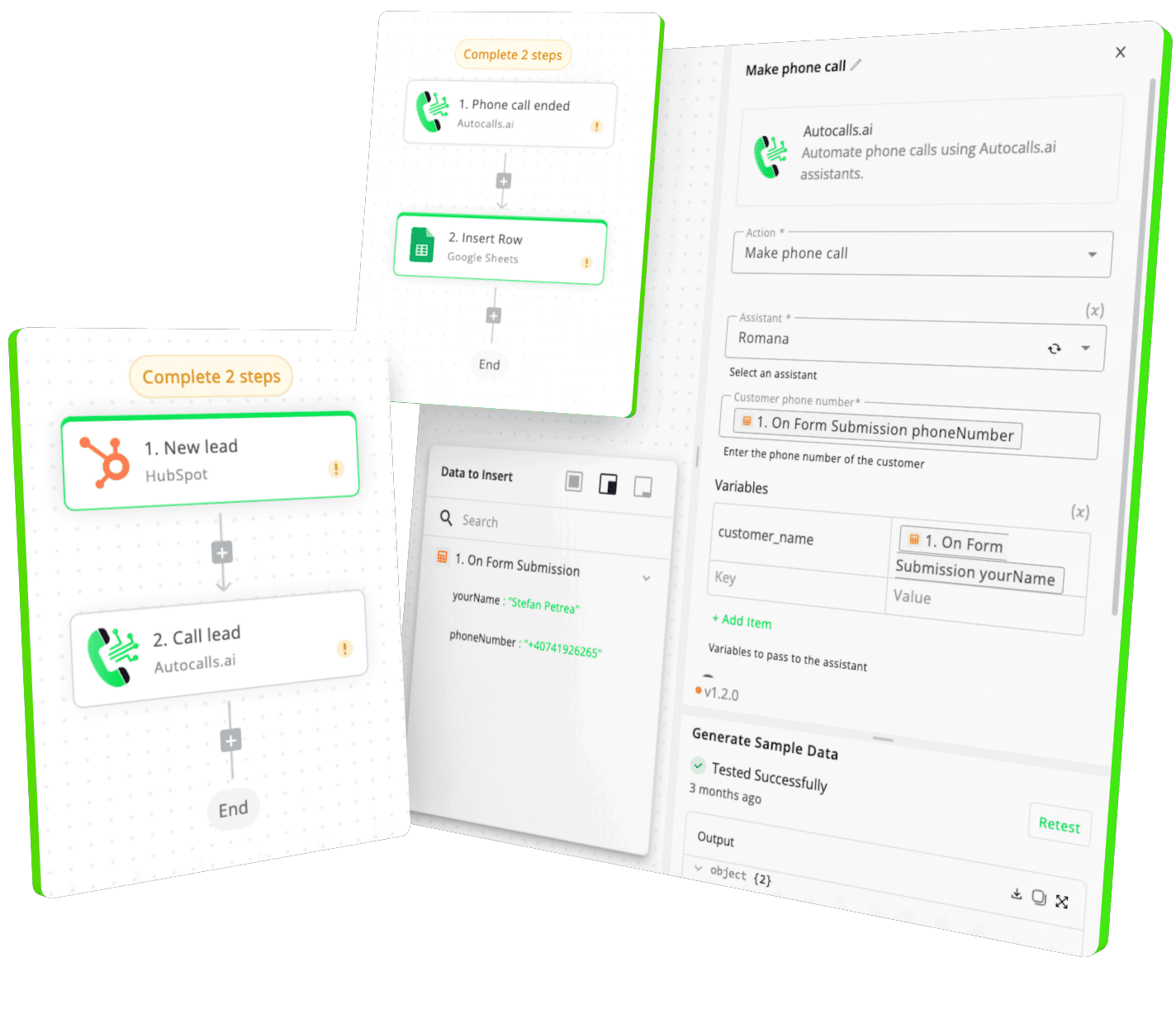
Integrate with popular tools such as HubSpot, GoHighLevel, Zoho, Cal.com & +250 more and build automations using drag and drop.

Autocalls

+250 tools ready to integrate with your AI agents flow in our no-code platform, similar to Zapier or Make.

Autocalls
Similar integrations with GitHub

Frequently Asked Questions 👍

Have a question that is not answered? You can contact us at

Have a question? Contact us

A GitHub phone integration connects repository activity like issues, pull requests, stars, and pushes to AI-powered phone workflows. This lets your team trigger calls, alerts, and follow-ups automatically when important development events happen.

A GitHub auto dialer can place outbound calls when a new issue, pull request, or repository event is detected. It helps teams respond faster, reduce missed updates, and reach the right person without manual calling.

Yes, a GitHub AI dialer can call reviewers when a new pull request is opened or alert on-call engineers when issues are created. You can tailor call scripts using issue details, repository data, and custom logic.

GitHub phone automation uses triggers like New Issue and New Pull Request to start AI calling workflows. It can also use actions like Get issue information, Create Issue, and Create comment on a issue to keep records updated after each call.

GitHub call automation can handle incident alerts, review reminders, release notifications, and follow-up calls tied to repository activity. You can also use custom API calls and raw GraphQL queries for advanced workflows.

Yes, a GitHub voice agent can call internal teams for technical alerts or reach customers with status updates and follow-ups. It gives you a faster way to share important information without waiting on manual outreach.

image image image

Ready to integrate GitHub with AI voice calling agents?

Join thousands of businesses already automating their phone calls with our GitHub integration.
You can get your assistant ready in few minutes.

Autocalls