NEW Your $0 → $50K MRR voice AI playbook . The full path to a profitable AI voice agency. Free. Get it free
Salesforce
Autocalls.ai

Connect Salesforce with Autocalls.ai AI voice agents

Salesforce AI Voice Call Automation

Connect Salesforce to AI voice agents that call, qualify, update records, and trigger follow-ups automatically. Turn CRM data into faster conversations and better pipeline movement.

Sales and crm
5 Actions
2 Triggers
Autocalls Autocalls
Salesforce phone integration that keeps every call action updated
Smart Sync

Salesforce phone integration that keeps every call action updated

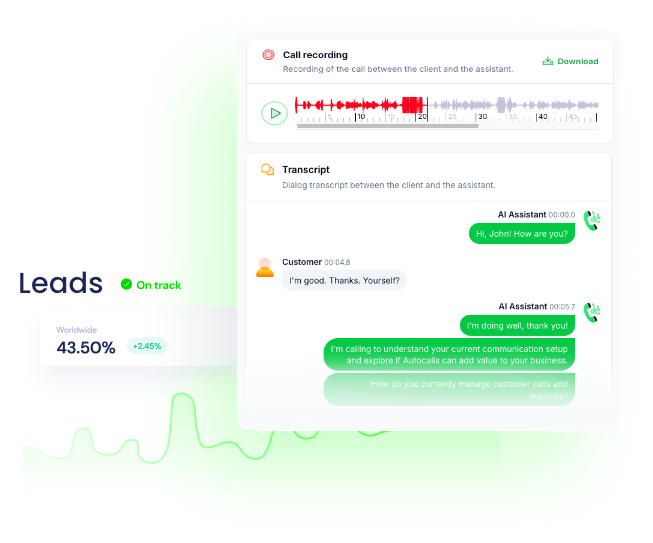
When a new or updated Salesforce record appears, your AI voice agent can call instantly, qualify the lead, and push results back into the CRM with less manual work.
Use this for faster appointment booking and connected workflows through integrations that keep sales teams moving.

  • 50% faster lead response
  • 90% less manual data entry
Launch Salesforce auto dialer campaigns with AI-driven follow-up
Auto Dialer

Launch Salesforce auto dialer campaigns with AI-driven follow-up

Use Salesforce records to trigger outbound AI calls for lead nurturing, reminders, reactivation, and sales outreach without relying on agents to dial one by one.
This gives teams a scalable path to AI cold calling and stronger AI call center automation from one workflow.

  • 3x more daily call volume
  • 35% higher follow-up rate
Salesforce call automation for qualification, routing, and updates
Call Automation

Salesforce call automation for qualification, routing, and updates

Run AI calls from Salesforce data, capture outcomes, and create or update objects automatically so reps always see the latest status before the next touchpoint.
Pair voice workflows with an AI answering service or a AI virtual receptionist to cover inbound and outbound journeys in one system.

  • 95% CRM update accuracy
  • 60% faster qualification cycles

Available Actions

Powerful actions you can trigger with Salesforce to automate your workflows

Run Query (Advanced)

Run a salesforce query

Configuration Fields:
Query Required SHORT_TEXT

Enter the query

Create Object (Advanced)

Create new object

Configuration Fields:
Data Required JSON

Select mapped object

Object Required DROPDOWN

Select the Object

Update Object (Advanced)

Update object by Id

Configuration Fields:
Id Required SHORT_TEXT

Select the Id

Data Required JSON

Select mapped object

Object Required DROPDOWN

Select the Object

Batch Upsert (Advanced)

Batch upsert a record by external id

Configuration Fields:
Object Required DROPDOWN

Select the Object

Records Required JSON

Select the Records

External Field Required SHORT_TEXT

Select the External Field

Bulk Upsert (Advanced)

Bulk upsert a record by external id

Configuration Fields:
Object Required DROPDOWN

Select the Object

Records Required LONG_TEXT

Select the Records (CSV format)

External Field Required SHORT_TEXT

Select the External Field

Autocalls Autocalls

Available Triggers

Events in Salesforce that can automatically start your workflows

New Record

Triggers when there is new record

Configuration Fields:
Object Required DROPDOWN

Select the Object

Conditions (Advanced) LONG_TEXT

Enter a SOQL query where clause i. e. IsDeleted = TRUE

New or Updated Record

Triggers when there is new or updated record

Configuration Fields:
Object Required DROPDOWN

Select the Object

Conditions (Advanced) LONG_TEXT

Enter a SOQL query where clause i. e. IsDeleted = TRUE

Autocalls Autocalls

Examples of automation flows

Real-world examples of how businesses use Salesforce integration to automate workflows

Instant lead callback from new records

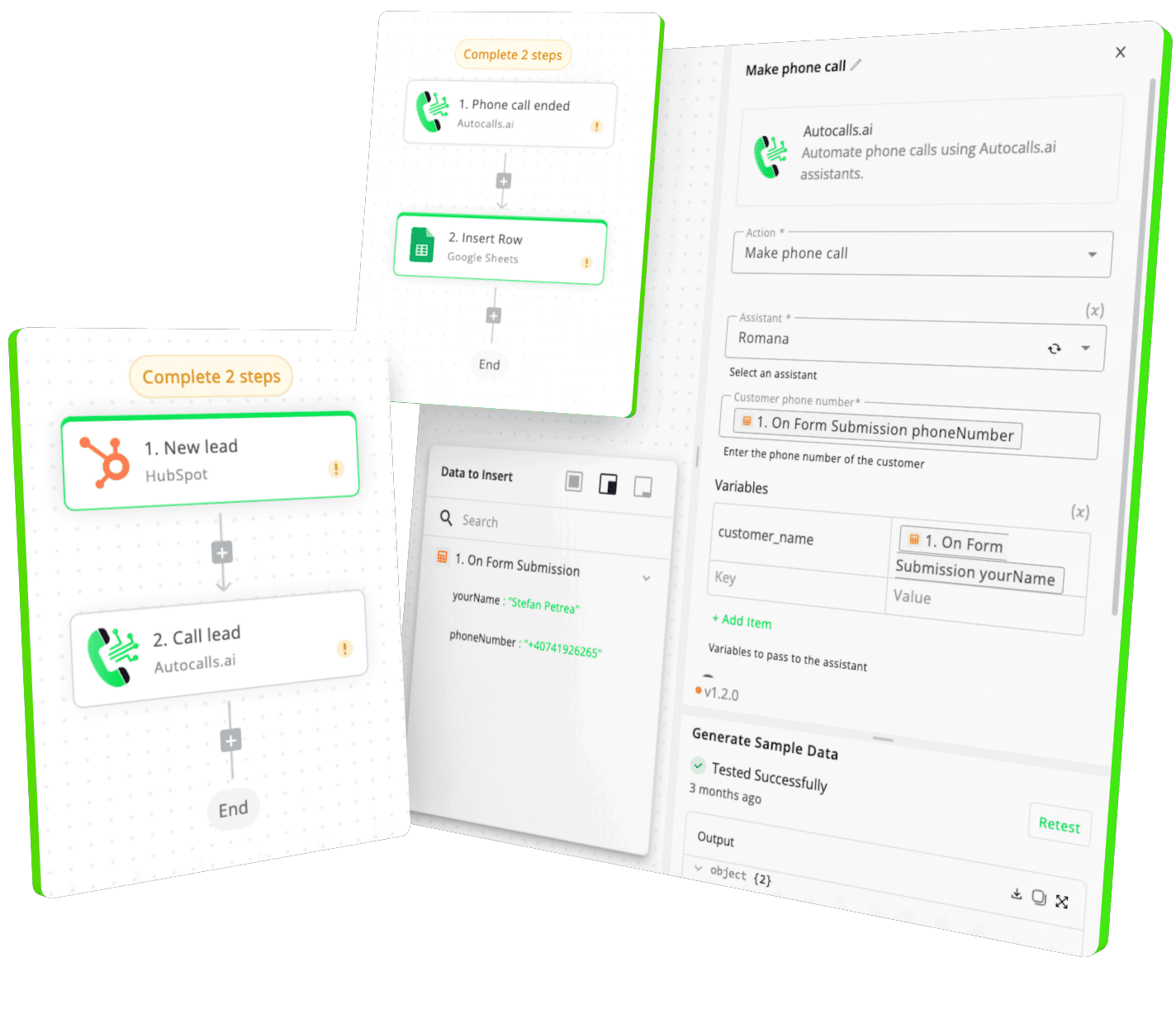
When a New Record trigger fires in Salesforce, an AI voice agent calls the lead right away. Qualified outcomes are written back so reps can focus on warm opportunities.

Auto follow-up after CRM changes

When a New or Updated Record trigger detects a status change, the AI agent starts a timely follow-up call. The workflow keeps outreach consistent without manual dialing.

Create records from live call results

After an AI conversation, the workflow can use Create Object to save a new Salesforce object with the call outcome. This keeps every qualified conversation visible inside the CRM.

Update opportunities after qualification calls

An AI voice agent can collect interest level, budget, and timeline during the call. Update Object then writes the latest status by ID so the pipeline stays current.

Batch upsert campaign response data

High-volume outreach campaigns can use Batch Upsert to sync many call results back into Salesforce by external ID. This helps teams manage large calling programs without CRM bottlenecks.

Run targeted outreach from Salesforce queries

Use Run Query to pull a filtered list of records for a specific call campaign. Bulk Upsert then pushes outcomes back at scale for reporting and next-step automation.

Integrate with popular tools using our no-code platform

Easily manage AI voice agents without the need for programming skills.

Integrate with popular tools such as HubSpot, GoHighLevel, Zoho, Cal.com & +250 more and build automations using drag and drop.

Autocalls

+250 tools ready to integrate with your AI agents flow in our no-code platform, similar to Zapier or Make.

Autocalls
Similar integrations with Salesforce

Frequently Asked Questions 👍

Have a question that is not answered? You can contact us at

Have a question? Contact us

A Salesforce phone integration connects your CRM records with AI voice workflows so calls can start automatically based on lead or customer data. It also sends call outcomes, notes, and status changes back into Salesforce to keep teams aligned.

A Salesforce auto dialer uses CRM data to launch outbound calls automatically instead of requiring reps to dial manually. With AI voice agents, those calls can qualify leads, answer basic questions, and update records after each conversation.

Yes, a Salesforce AI dialer is a strong fit for first-touch qualification, reactivation, reminders, and follow-up campaigns. It helps teams respond faster, collect consistent information, and route hot leads to human reps when needed.

Salesforce phone automation can trigger calls when new records are created or existing records are updated. It reduces repetitive tasks like dialing, logging outcomes, and moving records through early pipeline stages.

Salesforce call automation can handle callback campaigns, appointment reminders, lead nurturing, and status-based follow-ups. It is especially useful when you want faster outreach without increasing headcount.

A Salesforce voice agent is an AI caller connected to your CRM that can speak with leads and customers in real time. It can ask qualifying questions, confirm details, handle common responses, and sync results back to Salesforce.

Yes, the integration supports creating objects, updating objects by ID, and syncing records with batch or bulk upsert actions. That gives you flexible control for both one-to-one workflows and large-scale calling campaigns.

image image image

Ready to integrate Salesforce with AI voice calling agents?

Join thousands of businesses already automating their phone calls with our Salesforce integration.
You can get your assistant ready in few minutes.

Autocalls