NEW Your $0 → $50K MRR voice AI playbook . The full path to a profitable AI voice agency. Free. Get it free
OpenAI
Autocalls.ai

Connect OpenAI with Autocalls.ai AI voice agents

OpenAI AI Voice Call Automation

Connect OpenAI to your AI voice agents to handle calls, summarize conversations, and automate follow-ups. Turn every phone interaction into faster action.

Artificial intelligence
9 Actions
Autocalls Autocalls
OpenAI phone integration for faster, smarter conversations
Smart Calls

OpenAI phone integration for faster, smarter conversations

Use Ask ChatGPT, Ask Assistant, and Extract Structured Data from Text to give your AI caller better answers, cleaner notes, and more useful call outcomes.
Connect OpenAI with AI call center automation and appointment booking to qualify leads, capture details, and move callers to the next step automatically.

  • 60% faster call resolution
  • 90% cleaner CRM notes
OpenAI auto dialer workflows that turn calls into action
Auto Dialer

OpenAI auto dialer workflows that turn calls into action

Pair OpenAI call automation with outbound campaigns to score leads, generate personalized responses, and trigger the right next action after every conversation.
Use it with an AI cold calling workflow or an AI answering service to reduce manual follow-up and keep teams focused on high-value calls.

  • 45% more qualified leads
  • 70% less manual follow-up
OpenAI call automation with voice, image, and text tools
Voice Intelligence

OpenAI call automation with voice, image, and text tools

Transcribe Audio, Translate Audio, Vision Prompt, and Text-to-Speech let your AI voice agent understand more inputs and respond in ways that fit each customer interaction.
Combine this OpenAI AI dialer setup with a WhatsApp AI chatbot or AI virtual receptionist for omnichannel support that stays consistent across channels.

  • 95% transcription accuracy
  • 2x faster multilingual handling

Available Actions

Powerful actions you can trigger with OpenAI to automate your workflows

Translate Audio

Translate audio to text using whisper-1 model

Configuration Fields:
Audio Required FILE

Audio file to translate

Transcribe Audio

Transcribe audio to text using whisper-1 model

Configuration Fields:
API Key Required SECRET_TEXT

Follow these instructions to get your OpenAI API Key: 1. Visit the following website: https://platform.openai.com/account/api-keys. 2. Once on the website, locate and click on the option to obtain your OpenAI API Key. It is strongly recommended that you add your credit card information to your OpenAI account and upgrade to the paid plan **before** generating the API Key. This will help you prevent 429 errors.

Audio Required FILE

Audio file to transcribe

Language of the Audio STATIC_DROPDOWN

Language of the audio file the default is en (English).

Ask ChatGPT

Ask ChatGPT anything you want!

Configuration Fields:
Top P NUMBER

An alternative to sampling with temperature, called nucleus sampling, where the model considers the results of the tokens with top_p probability mass. So 0.1 means only the tokens comprising the top 10% probability mass are considered.

Model Required DROPDOWN

The model which will generate the completion. Some models are suitable for natural language tasks, others specialize in code.

Roles JSON

Array of roles to specify more accurate response

Question Required LONG_TEXT
Maximum Tokens Required NUMBER

The maximum number of tokens to generate. Requests can use up to 2,048 or 4,096 tokens shared between prompt and completion depending on the model. Don't set the value to maximum and leave some tokens for the input. (One token is roughly 4 characters for normal English text)

Memory Key SHORT_TEXT

A memory key that will keep the chat history shared across runs and flows. Keep it empty to leave ChatGPT without memory of previous messages.

Temperature NUMBER

Controls randomness: Lowering results in less random completions. As the temperature approaches zero, the model will become deterministic and repetitive.

Presence penalty NUMBER

Number between -2.0 and 2.0. Positive values penalize new tokens based on whether they appear in the text so far, increasing the mode's likelihood to talk about new topics.

Frequency penalty NUMBER

Number between -2.0 and 2.0. Positive values penalize new tokens based on their existing frequency in the text so far, decreasing the model's likelihood to repeat the same line verbatim.

Ask Assistant

Ask a GPT assistant anything you want!

Configuration Fields:
Question Required LONG_TEXT
Assistant Required DROPDOWN

The assistant which will generate the completion.

Memory Key SHORT_TEXT

A memory key that will keep the chat history shared across runs and flows. Keep it empty to leave your assistant without memory of previous messages.

Vision Prompt

Ask GPT a question about an image

Configuration Fields:
Top P NUMBER

An alternative to sampling with temperature, called nucleus sampling, where the model considers the results of the tokens with top_p probability mass. So 0.1 means only the tokens comprising the top 10% probability mass are considered.

Image Required FILE

The image URL or file you want GPT's vision to read.

Roles JSON

Array of roles to specify more accurate response

Detail DROPDOWN

Control how the model processes the image and generates textual understanding.

Question Required LONG_TEXT

What do you want ChatGPT to tell you about the image?

Maximum Tokens NUMBER

The maximum number of tokens to generate. Requests can use up to 2,048 or 4,096 tokens shared between prompt and completion, don't set the value to maximum and leave some tokens for the input. The exact limit varies by model. (One token is roughly 4 characters for normal English text)

Temperature NUMBER

Controls randomness: Lowering results in less random completions. As the temperature approaches zero, the model will become deterministic and repetitive.

Presence penalty NUMBER

Number between -2.0 and 2.0. Positive values penalize new tokens based on whether they appear in the text so far, increasing the mode's likelihood to talk about new topics.

Frequency penalty NUMBER

Number between -2.0 and 2.0. Positive values penalize new tokens based on their existing frequency in the text so far, decreasing the model's likelihood to repeat the same line verbatim.

Generate Image

Generate an image using text-to-image models

Configuration Fields:
Model Required DROPDOWN

The model which will generate the image.

Prompt Required LONG_TEXT
Quality DROPDOWN

Standard is faster, HD has better details.

Resolution DROPDOWN

The resolution to generate the image in.

Text-to-Speech

Generate an audio recording from text

Configuration Fields:
Text Required LONG_TEXT

The text you want to hear.

Model Required DROPDOWN

The model which will generate the audio.

Speed NUMBER

The speed of the audio. Minimum is 0.25 and maximum is 4.00.

Voice DROPDOWN

The voice to generate the audio in.

Output Format DROPDOWN

The format you want the audio file in.

Custom API Call

Make a custom API call to a specific endpoint

Configuration Fields:
Required DYNAMIC
Body JSON
Method Required STATIC_DROPDOWN
Headers Required OBJECT

Authorization headers are injected automatically from your connection.

Timeout (in seconds) NUMBER
No Error on Failure CHECKBOX
Query Parameters Required OBJECT

Extract Structured Data from Text

Returns structured data from provided unstructured text.

Configuration Fields:
Unstructured Text Required LONG_TEXT
Model Required DROPDOWN
Data Definition Required ARRAY
Autocalls Autocalls

Examples of automation flows

Real-world examples of how businesses use OpenAI integration to automate workflows

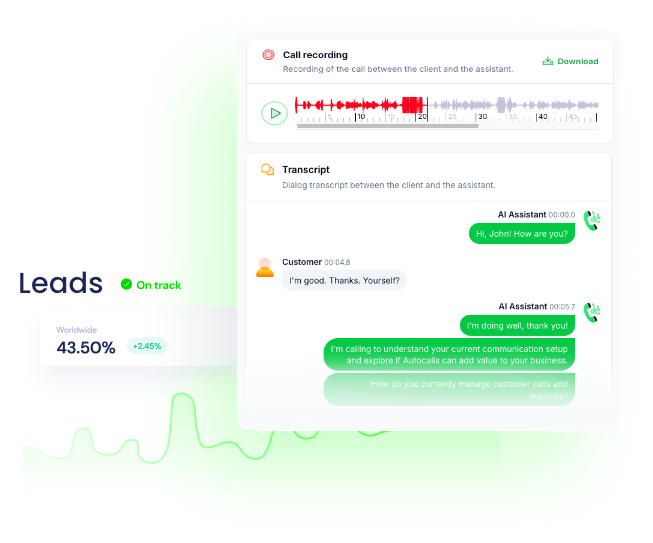
Transcribe calls and update CRM records

OpenAI transcribes each customer call and turns the conversation into structured notes. Your team gets searchable records and cleaner follow-up tasks right after the call.

Answer inbound questions with ChatGPT

Your AI voice agent sends customer questions to OpenAI and replies with clear, relevant answers. This helps resolve common requests without waiting on a human rep.

Qualify leads with AI scoring

OpenAI reviews call responses and extracts intent, budget, and urgency from each conversation. High-value leads can be prioritized for sales callbacks automatically.

Translate multilingual customer calls

Audio from the caller is translated into text so your team can understand requests across languages. The AI agent can keep conversations moving with less friction.

Create follow-up images from call requests

After a customer call, OpenAI can generate images from text prompts for quotes, design concepts, or product ideas. This gives prospects a faster visual follow-up.

Use vision to verify uploaded images

Customers can send an image that OpenAI analyzes with Vision Prompt for context or issue detection. The AI agent can use that insight to guide the next response or action.

Integrate with popular tools using our no-code platform

Easily manage AI voice agents without the need for programming skills.

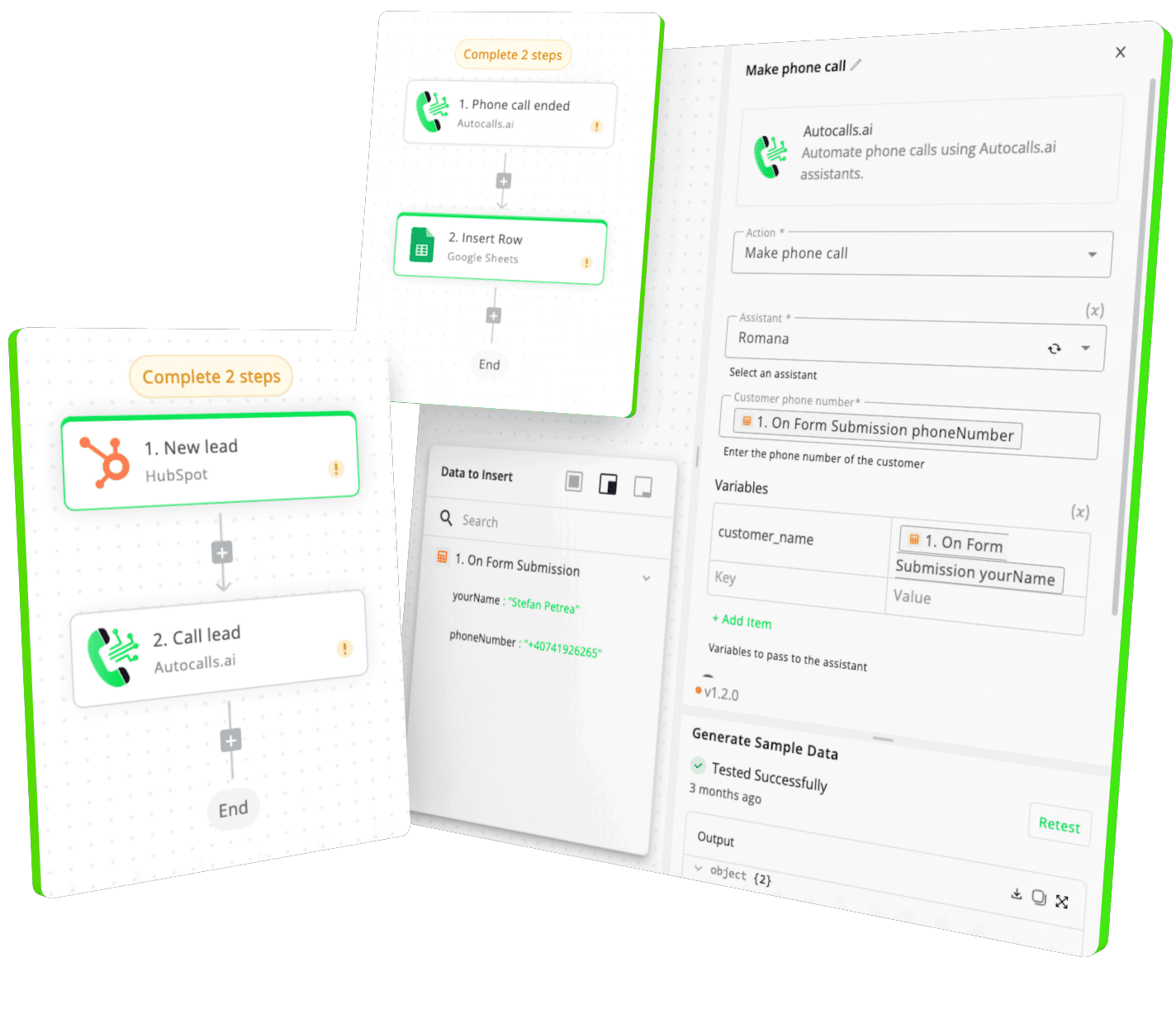
Integrate with popular tools such as HubSpot, GoHighLevel, Zoho, Cal.com & +250 more and build automations using drag and drop.

Autocalls

+250 tools ready to integrate with your AI agents flow in our no-code platform, similar to Zapier or Make.

Autocalls
Similar integrations with OpenAI

Frequently Asked Questions 👍

Have a question that is not answered? You can contact us at

Have a question? Contact us

An OpenAI phone integration connects your AI calling workflows with OpenAI tools like ChatGPT, Whisper, text-to-speech, and structured data extraction. That means your voice agent can answer questions, transcribe calls, summarize conversations, and trigger smarter follow-up actions.

An OpenAI auto dialer helps personalize outbound calls at scale by generating responses, extracting lead data, and organizing results after each conversation. It can reduce manual work for sales teams and make every dial more useful.

Yes. An OpenAI AI dialer can ask qualifying questions, analyze customer answers, and return structured data like interest level, budget, and intent. This helps route better leads to your team faster.

OpenAI phone automation can handle call transcription, translation, GPT-powered replies, appointment intake, and post-call summaries. It is useful for support, sales, scheduling, and follow-up workflows.

Yes. OpenAI call automation helps AI voice agents understand customer questions, provide fast answers, and log accurate call notes. It can improve response speed while keeping support workflows more organized.

An OpenAI voice agent in Autocalls can use actions like Ask ChatGPT, Ask Assistant, Transcribe Audio, Translate Audio, and Text-to-Speech inside your call flows. You can build it with no-code workflows and connect it to broader voice, WhatsApp, and web chat automation.

image image image

Ready to integrate OpenAI with AI voice calling agents?

Join thousands of businesses already automating their phone calls with our OpenAI integration.
You can get your assistant ready in few minutes.

Autocalls