NEW Your $0 → $50K MRR voice AI playbook . The full path to a profitable AI voice agency. Free. Get it free
Zoo
Autocalls.ai

Connect Zoo with Autocalls.ai AI voice agents

Zoo AI Voice Call Automation

Turn Zoo model generation and CAD data into live phone conversations. Let AI voice agents qualify requests, share updates, and route follow-ups automatically.

Artificial intelligence
81 Actions
Autocalls Autocalls
Zoo phone integration for faster model request handling
Smart Sync

Zoo phone integration for faster model request handling

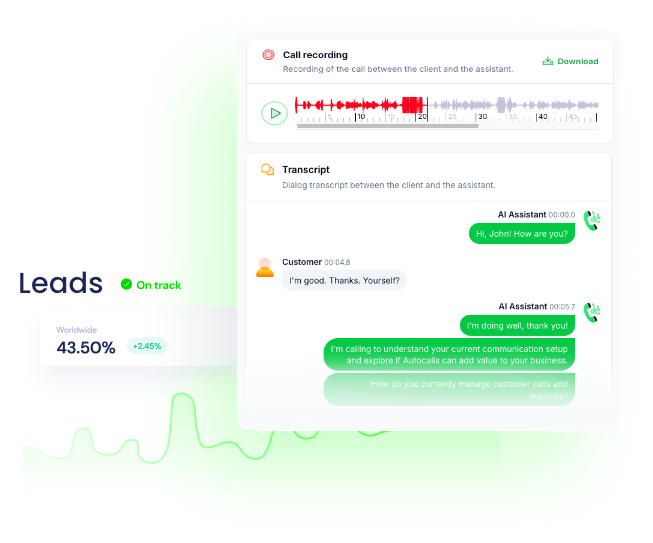
Connect Zoo with AI voice agents to capture 3D model requests by phone, turn spoken requirements into text prompts, and trigger Generate CAD Model or Iterate CAD Model without manual back-and-forth.
Teams can use this call automation setup to qualify projects, confirm specs, and push approved requests into appointment booking or broader integrations for downstream workflows.

  • 60% faster request intake
  • 2x more qualified design calls
Zoo auto dialer for CAD status updates
Auto Dialer

Zoo auto dialer for CAD status updates

Use an AI auto dialer to call customers when a CAD model is generated, converted, or updated, pulling data from Get CAD Model, Get Async Operation, and List CAD Models to keep every caller informed.
This phone integration helps sales and support teams reduce inbound status checks while routing urgent conversations to an AI answering service or a live AI virtual receptionist when needed.

  • 45% fewer status inquiry calls
  • 90% faster update delivery
Zoo call automation that turns CAD data into action
Call Insights

Zoo call automation that turns CAD data into action

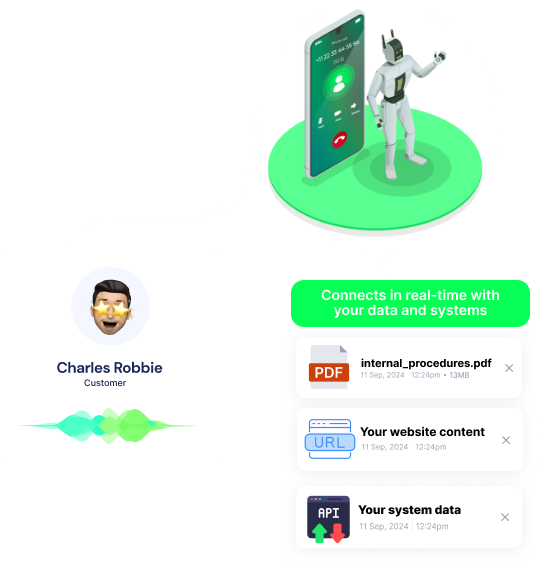
AI voice agents can read mass, volume, density, surface area, or center of mass results from Zoo and explain them clearly during customer calls, making complex model data easier to understand and act on.
That means better qualification, stronger follow-up, and more efficient handoffs into AI call center automation or a WhatsApp AI chatbot for multichannel support.

  • 35% shorter support calls
  • 80% faster technical follow-up

Available Actions

Powerful actions you can trigger with Zoo to automate your workflows

Get Organization

Retrieve details of your organization

No additional configuration required

Get Mass

Calculate the mass of a CAD file

Configuration Fields:
CAD File Required FILE

The CAD file to analyze

Get User

Retrieve your user information

No additional configuration required

Create Organization

Create a new organization

Configuration Fields:
Organization Name Required SHORT_TEXT

The name for the new organization

Get Volume

Calculate the volume of a CAD file

Configuration Fields:
CAD File Required FILE

The CAD file to analyze

Update Organization

Update your organization details

Configuration Fields:
Organization Name Required SHORT_TEXT

The new name for your organization

Delete User

Delete your user account

No additional configuration required

Get Density

Calculate the density of a CAD file

Configuration Fields:
CAD File Required FILE

The CAD file to analyze

Return Pong

Health check endpoint that returns "pong"

No additional configuration required

Update User

Update your user information

Configuration Fields:
Name SHORT_TEXT

Your new display name

Email SHORT_TEXT

Your new email address

Convert Area

Convert area measurements between different units

Configuration Fields:
Value Required NUMBER

The area value to convert

Input Unit Required STATIC_DROPDOWN
Output Unit Required STATIC_DROPDOWN

Convert Mass

Convert mass measurements between different units

Configuration Fields:
Value Required NUMBER

The mass value to convert

Input Unit Required STATIC_DROPDOWN
Output Unit Required STATIC_DROPDOWN

Get User Organization

Get the organization associated with your user account

No additional configuration required

Convert Angle

Convert angle measurements between different units

Configuration Fields:
Value Required NUMBER

The angle value to convert

Input Unit Required STATIC_DROPDOWN
Output Unit Required STATIC_DROPDOWN

Convert Force

Convert force measurements between different units

Configuration Fields:
Value Required NUMBER

The force value to convert

Input Unit Required STATIC_DROPDOWN
Output Unit Required STATIC_DROPDOWN

Convert Power

Convert power measurements between different units

Configuration Fields:
Value Required NUMBER

The power value to convert

Input Unit Required STATIC_DROPDOWN
Output Unit Required STATIC_DROPDOWN

Get API Token

Retrieve details of a specific API token

Configuration Fields:
Token Required SHORT_TEXT

The token to retrieve details for

Get CAD Model

Retrieve details of a specific 3D model

Configuration Fields:
Model ID Required SHORT_TEXT

The ID of the model to retrieve

Add Organization Member

Add a new member to your organization

Configuration Fields:
Role Required STATIC_DROPDOWN
Email Required SHORT_TEXT

Email address of the user to add

Convert Energy

Convert energy measurements between different units

Configuration Fields:
Value Required NUMBER

The energy value to convert

Input Unit Required STATIC_DROPDOWN
Output Unit Required STATIC_DROPDOWN

Convert Length

Convert length measurements between different units

Configuration Fields:
Value Required NUMBER

The length value to convert

Input Unit Required STATIC_DROPDOWN
Output Unit Required STATIC_DROPDOWN

Convert Torque

Convert torque measurements between different units

Configuration Fields:
Value Required NUMBER

The torque value to convert

Input Unit Required STATIC_DROPDOWN
Output Unit Required STATIC_DROPDOWN

Convert Volume

Convert volume measurements between different units

Configuration Fields:
Value Required NUMBER

The volume value to convert

Input Unit Required STATIC_DROPDOWN
Output Unit Required STATIC_DROPDOWN

Get Organization Member

Get details of a specific organization member

Configuration Fields:
User ID Required SHORT_TEXT

ID of the member to retrieve

Convert Current

Convert electrical current measurements between different units

Configuration Fields:
Value Required NUMBER

The current value to convert

Input Unit Required STATIC_DROPDOWN
Output Unit Required STATIC_DROPDOWN

Get Organization Balance

Retrieve the current balance for your organization

No additional configuration required

Get Organization Payment Info

Retrieve payment information for your organization

No additional configuration required

KCL Code Completions

Get code completions for KCL (Kernel Configuration Language)

Configuration Fields:
Stop Sequences ARRAY

Sequences where the API will stop generating further tokens

Prompt Required LONG_TEXT

The KCL code prompt to get completions for

Max Tokens NUMBER

Maximum number of tokens to generate

Temperature NUMBER

Controls randomness in completion generation (0.0 to 1.0)

List API Tokens

List all API tokens for your user account

Configuration Fields:
Limit NUMBER

Maximum number of tokens to return

Offset NUMBER

Number of tokens to skip

List CAD Models

Retrieve a list of your generated 3D models

Configuration Fields:
Limit NUMBER

Maximum number of models to return

Offset NUMBER

Number of models to skip

Convert CAD File

Convert a CAD file from one format to another

Configuration Fields:
CAD File Required FILE

The CAD file to convert

Output Format Required STATIC_DROPDOWN
Source Format Required STATIC_DROPDOWN

Convert Pressure

Convert pressure measurements between different units

Configuration Fields:
Value Required NUMBER

The pressure value to convert

Input Unit Required STATIC_DROPDOWN
Output Unit Required STATIC_DROPDOWN

Create API Token

Create a new API token for your user account

Configuration Fields:
Token Name Required SHORT_TEXT

A name to identify this token

Create Shortlink

Create a new shortlink for your user account

Configuration Fields:
Key SHORT_TEXT

Custom key for the shortlink (optional)

URL Required SHORT_TEXT

The URL to shorten

Delete API Token

Delete an API token from your user account

Configuration Fields:
Token Required SHORT_TEXT

The token to delete

Delete Shortlink

Delete an existing shortlink

Configuration Fields:
Key Required SHORT_TEXT

The key of the shortlink to delete

Get Organization API Call

Retrieve details of a specific API call made by your organization

Configuration Fields:
Call ID Required SHORT_TEXT

The ID of the API call to retrieve

Get Surface Area

Calculate the surface area of a CAD file

Configuration Fields:
CAD File Required FILE

The CAD file to analyze

Get User Balance

Retrieve the current balance for your user account

No additional configuration required

Get User Payment Info

Retrieve payment information for your user account

No additional configuration required

Get User Session

Get details about a specific user session

Configuration Fields:
Session Token Required SHORT_TEXT

The token of the session to retrieve

List Organization Members

List all members of your organization

Configuration Fields:
Limit NUMBER

Maximum number of members to return

Offset NUMBER

Number of members to skip

Update Shortlink

Update an existing shortlink

Configuration Fields:
Key Required SHORT_TEXT

The key of the shortlink to update

URL Required SHORT_TEXT

The new URL for the shortlink

Convert Frequency

Convert frequency measurements between different units

Configuration Fields:
Value Required NUMBER

The frequency value to convert

Input Unit Required STATIC_DROPDOWN
Output Unit Required STATIC_DROPDOWN

Get Extended User Info

Retrieve extended information about your user account

No additional configuration required

Get User API Call

Retrieve details of a specific API call made by your user account

Configuration Fields:
Call ID Required SHORT_TEXT

The ID of the API call to retrieve

List Organization Invoices

List all invoices for your organization

Configuration Fields:
Limit NUMBER

Maximum number of invoices to return

Offset NUMBER

Number of invoices to skip

Create Organization Payment Info

Create payment information for your organization

Configuration Fields:
Payment Method ID Required SHORT_TEXT

ID of the payment method to use

Delete Organization Payment Info

Delete payment information for your organization

No additional configuration required

Generate CAD Model

Generate a 3D model from text prompt

Configuration Fields:
Prompt SHORT_TEXT
Include KCL Output CHECKBOX
Output Format Required STATIC_DROPDOWN

Get Center of Mass

Calculate the center of mass of a CAD file

Configuration Fields:
CAD File Required FILE

The CAD file to analyze

Get OpenAPI Schema

Retrieve the OpenAPI schema for the Zoo API

No additional configuration required

List Organization API Calls

List API calls made by your organization

Configuration Fields:
Limit NUMBER

Maximum number of API calls to return

Offset NUMBER

Number of API calls to skip

List User Invoices

List all invoices for your user account

Configuration Fields:
Limit NUMBER

Maximum number of invoices to return

Offset NUMBER

Number of invoices to skip

Update Organization Payment Info

Update payment information for your organization

Configuration Fields:
Payment Method ID Required SHORT_TEXT

ID of the payment method to use

Convert Temperature

Convert temperature measurements between different units

Configuration Fields:
Value Required NUMBER

The temperature value to convert

Input Unit Required STATIC_DROPDOWN
Output Unit Required STATIC_DROPDOWN

Create User Payment Info

Create payment information for your user account

Configuration Fields:
Payment Method ID Required SHORT_TEXT

ID of the payment method to use

Delete User Payment Info

Delete payment information for your user account

No additional configuration required

Get Async Operation

Retrieve details of an asynchronous operation

Configuration Fields:
Operation ID Required SHORT_TEXT

The ID of the async operation to retrieve

Get Service Account

Retrieve details of a specific service account

Configuration Fields:
Token Required SHORT_TEXT

Token of the service account to retrieve

Give Model Feedback

Provide feedback on a generated 3D model

Configuration Fields:
Model ID Required SHORT_TEXT

The ID of the model to give feedback on

Feedback Type Required STATIC_DROPDOWN

List Organization Shortlinks

List all shortlinks for your organization

Configuration Fields:
Limit NUMBER

Maximum number of shortlinks to return

Offset NUMBER

Number of shortlinks to skip

List User API Calls

List API calls made by your user account

Configuration Fields:
Limit NUMBER

Maximum number of API calls to return

Offset NUMBER

Number of API calls to skip

Update User Payment Info

Update payment information for your user account

Configuration Fields:
Payment Method ID Required SHORT_TEXT

ID of the payment method to use

Get OAuth2 Providers

Get the OAuth2 providers available for your user account

No additional configuration required

Get Organization Subscription

Retrieve the current subscription for your organization

No additional configuration required

Get Privacy Settings

Get your user privacy settings

No additional configuration required

List User Shortlinks

List all shortlinks for your user account

Configuration Fields:
Limit NUMBER

Maximum number of shortlinks to return

Offset NUMBER

Number of shortlinks to skip

Get User Subscription

Retrieve the current subscription for your user account

No additional configuration required

List Service Accounts

List all service accounts for your organization

Configuration Fields:
Limit NUMBER

Maximum number of service accounts to return

Offset NUMBER

Number of service accounts to skip

Send Modeling Command

Send a command to the modeling WebSocket endpoint

Configuration Fields:
Command Required OBJECT

The modeling command to send

Iterate CAD Model

Create a new iteration of an existing 3D model

Configuration Fields:
Prompt Required SHORT_TEXT

The prompt describing desired changes

Create Service Account

Create a new service account for your organization

Configuration Fields:
Name Required SHORT_TEXT

Name for the service account

Delete Service Account

Delete a service account from your organization

Configuration Fields:
Token Required SHORT_TEXT

Token of the service account to delete

Create Organization Subscription

Create a new subscription for your organization

Configuration Fields:
Plan ID Required SHORT_TEXT

ID of the subscription plan

Update Organization Subscription

Update the subscription for your organization

Configuration Fields:
Plan ID Required SHORT_TEXT

ID of the subscription plan

Update Privacy Settings

Update your user privacy settings

Configuration Fields:
Privacy Settings Required OBJECT

The new privacy settings to apply

Create User Subscription

Create a new subscription for your user account

Configuration Fields:
Plan ID Required SHORT_TEXT

ID of the subscription plan

List Organization Payment Methods

List all payment methods for your organization

Configuration Fields:
Limit NUMBER

Maximum number of payment methods to return

Offset NUMBER

Number of payment methods to skip

Update User Subscription

Update the subscription for your user account

Configuration Fields:
Plan ID Required SHORT_TEXT

ID of the subscription plan

List User Payment Methods

List all payment methods for your user account

Configuration Fields:
Limit NUMBER

Maximum number of payment methods to return

Offset NUMBER

Number of payment methods to skip

Autocalls Autocalls

Examples of automation flows

Real-world examples of how businesses use Zoo integration to automate workflows

Voice-led 3D model intake

An AI voice agent collects product requirements over the phone and sends the prompt to Generate CAD Model. Your team gets cleaner briefs and faster first drafts.

Automated model revision follow-up

When a customer requests changes, the agent logs the update and triggers Iterate CAD Model. Callers get quick confirmation without waiting on a manual response.

CAD file conversion notifications

After Convert CAD File finishes, the AI caller reaches out with the updated format status. This keeps projects moving without repeated check-in calls.

Engineering data call summaries

The agent retrieves mass, volume, density, or surface area from Zoo and explains the results by phone. Customers get clearer answers without needing a technical specialist on every call.

Balance and billing outreach

AI calling can use organization balance, invoices, and subscription details to notify account owners about billing issues. This helps reduce missed payments and support backlog.

Outbound qualification for design teams

A Zoo AI dialer can call inbound leads, qualify use cases, and capture modeling requirements before routing the opportunity. Sales teams spend more time on high-intent projects.

Integrate with popular tools using our no-code platform

Easily manage AI voice agents without the need for programming skills.

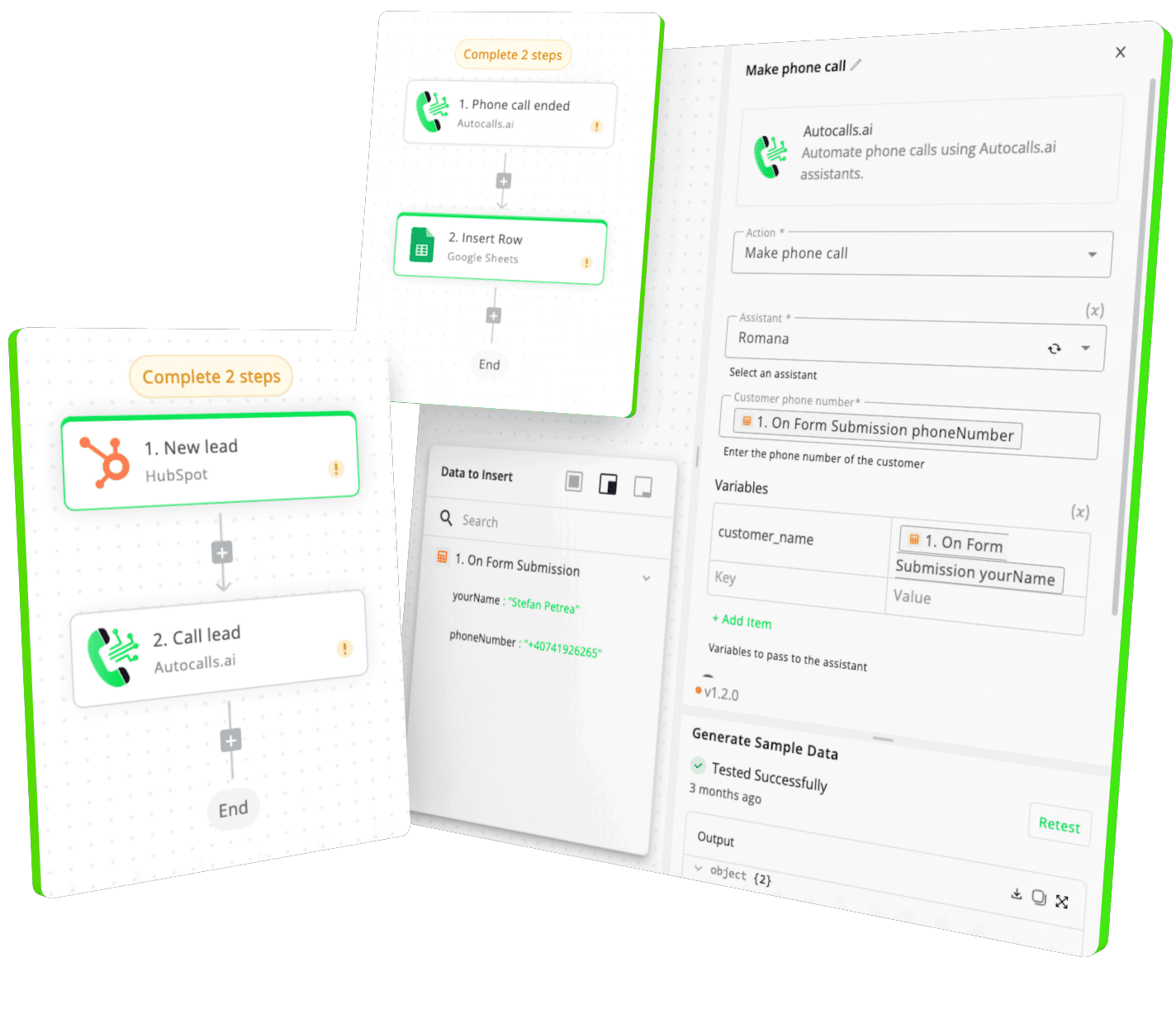
Integrate with popular tools such as HubSpot, GoHighLevel, Zoho, Cal.com & +250 more and build automations using drag and drop.

Autocalls

+250 tools ready to integrate with your AI agents flow in our no-code platform, similar to Zapier or Make.

Autocalls
Similar integrations with Zoo

Frequently Asked Questions 👍

Have a question that is not answered? You can contact us at

Have a question? Contact us

A Zoo phone integration connects Zoo’s 3D modeling and CAD endpoints with AI voice agents for inbound and outbound calls. It lets your business collect requirements, share model updates, and answer customer questions by phone without manual handling.

A Zoo auto dialer can automatically call customers when model generation, file conversion, or async operations are completed. This reduces status-check calls, speeds up follow-up, and helps teams keep projects moving with less admin work.

Yes, a Zoo AI dialer can call leads, ask qualifying questions, collect design requirements, and route the best opportunities to your team. It is useful for agencies, engineering firms, and product teams that need faster intake.

Zoo phone automation allows AI voice agents to retrieve model details, dimensions, or measurement outputs and explain them during calls. That means faster answers, shorter support queues, and better customer experience.

Zoo call automation can handle model request intake, revision confirmations, CAD conversion updates, billing reminders, and technical follow-ups. It works well when you want to turn Zoo API actions into timely customer conversations.

A Zoo voice agent is an AI phone assistant that speaks with leads or customers and uses Zoo data in real time. It can qualify requests, explain CAD-related outputs, and keep people updated without needing a human on every call.

image image image

Ready to integrate Zoo with AI voice calling agents?

Join thousands of businesses already automating their phone calls with our Zoo integration.
You can get your assistant ready in few minutes.

Autocalls