NEW Your $0 → $50K MRR voice AI playbook . The full path to a profitable AI voice agency. Free. Get it free
Microsoft Dynamics CRM
Autocalls.ai

Connect Microsoft Dynamics CRM with Autocalls.ai AI voice agents

Microsoft Dynamics CRM AI Voice Call Automation

Turn Microsoft Dynamics CRM into a faster calling workflow with AI voice agents. Automate follow-ups, update records instantly, and keep every conversation organized.

Sales and crm
5 Actions
Autocalls Autocalls
Microsoft Dynamics CRM phone integration for faster follow-up
Smart Sync

Microsoft Dynamics CRM phone integration for faster follow-up

Connect your CRM with AI voice agents so every call can create, update, or retrieve records without manual admin work. Pair it with appointment booking and AI answering service workflows to speed up response times and keep contact data current.
This setup helps sales and support teams call faster, log outcomes instantly, and reduce missed opportunities caused by delayed CRM updates.

  • 60% faster record updates
  • 90% less manual data entry
AI auto dialer with built-in call automation
Auto Dialer

AI auto dialer with built-in call automation

Use Microsoft Dynamics CRM data to power outbound campaigns, follow-up calls, and lead nurturing with an AI auto dialer that works from your existing records. Combine it with AI cold calling and integrations to launch high-volume outreach with cleaner processes.
Your team spends less time clicking through records and more time moving deals forward with consistent, trackable call automation.

  • 45% more daily call volume
  • 35% faster lead response
Custom API actions for flexible phone automation
Record Control

Custom API actions for flexible phone automation

Go beyond basic syncing by using custom API calls, record creation, updates, retrieval, and deletion to match your exact Microsoft Dynamics CRM process. Add AI virtual receptionist and WhatsApp AI chatbot journeys to keep customer conversations connected across channels.
This gives your business tighter control over CRM hygiene, faster routing, and a better customer experience from first call to final status update.

  • 95% CRM data consistency
  • 50% quicker handoff time

Available Actions

Powerful actions you can trigger with Microsoft Dynamics CRM to automate your workflows

Custom API Call

Make a custom API call to a specific endpoint

Configuration Fields:
Required DYNAMIC
Body JSON
Method Required STATIC_DROPDOWN
Headers Required OBJECT

Authorization headers are injected automatically from your connection.

Timeout (in seconds) NUMBER
No Error on Failure CHECKBOX
Query Parameters Required OBJECT

Get Record

Retrieves an existing record.

Configuration Fields:
Record ID Required DROPDOWN
Entity Type Required DROPDOWN

Select or map the entity name whose records you want to retrieve.

Create Record

Creates a new record.

Configuration Fields:
Entity Fields Required DYNAMIC
Entity Type Required DROPDOWN

Select or map the entity for which you want to create the record.

Delete Record

Deletes an existing record.

Configuration Fields:
Record ID Required DROPDOWN
Entity Type Required DROPDOWN

Select or map the entity name whose records you want to delete.

Update Record

Updates an existing record.

Configuration Fields:
Entity Fields Required DYNAMIC
Record ID Required DROPDOWN
Entity Type Required DROPDOWN

Select or map the entity for which you want to update the record.

Autocalls Autocalls

Examples of automation flows

Real-world examples of how businesses use Microsoft Dynamics CRM integration to automate workflows

Instant lead lookup before every call

An AI voice agent retrieves an existing Microsoft Dynamics CRM record before speaking with the contact. Calls feel more informed and every conversation starts with the right context.

Create new CRM records from inbound calls

When a new caller reaches your business, the AI agent creates a Microsoft Dynamics CRM record automatically. Your team gets a clean pipeline without re-entering caller details later.

Update deal notes after sales conversations

After each call, the AI agent updates the Microsoft Dynamics CRM record with the latest outcome. Reps can see progress instantly and plan the next action faster.

Clean up outdated or duplicate records

Call workflows can remove records that are no longer valid in Microsoft Dynamics CRM. This keeps lists cleaner and improves the quality of future outreach.

Custom API call for advanced CRM actions

Use a custom API call to send call results to a specific Microsoft Dynamics CRM endpoint. This supports unique internal processes without slowing down your team.

Automated follow-up campaigns from CRM data

AI calling campaigns use Microsoft Dynamics CRM records to re-engage leads and customers at the right time. Every call can update the record so your pipeline stays current.

Integrate with popular tools using our no-code platform

Easily manage AI voice agents without the need for programming skills.

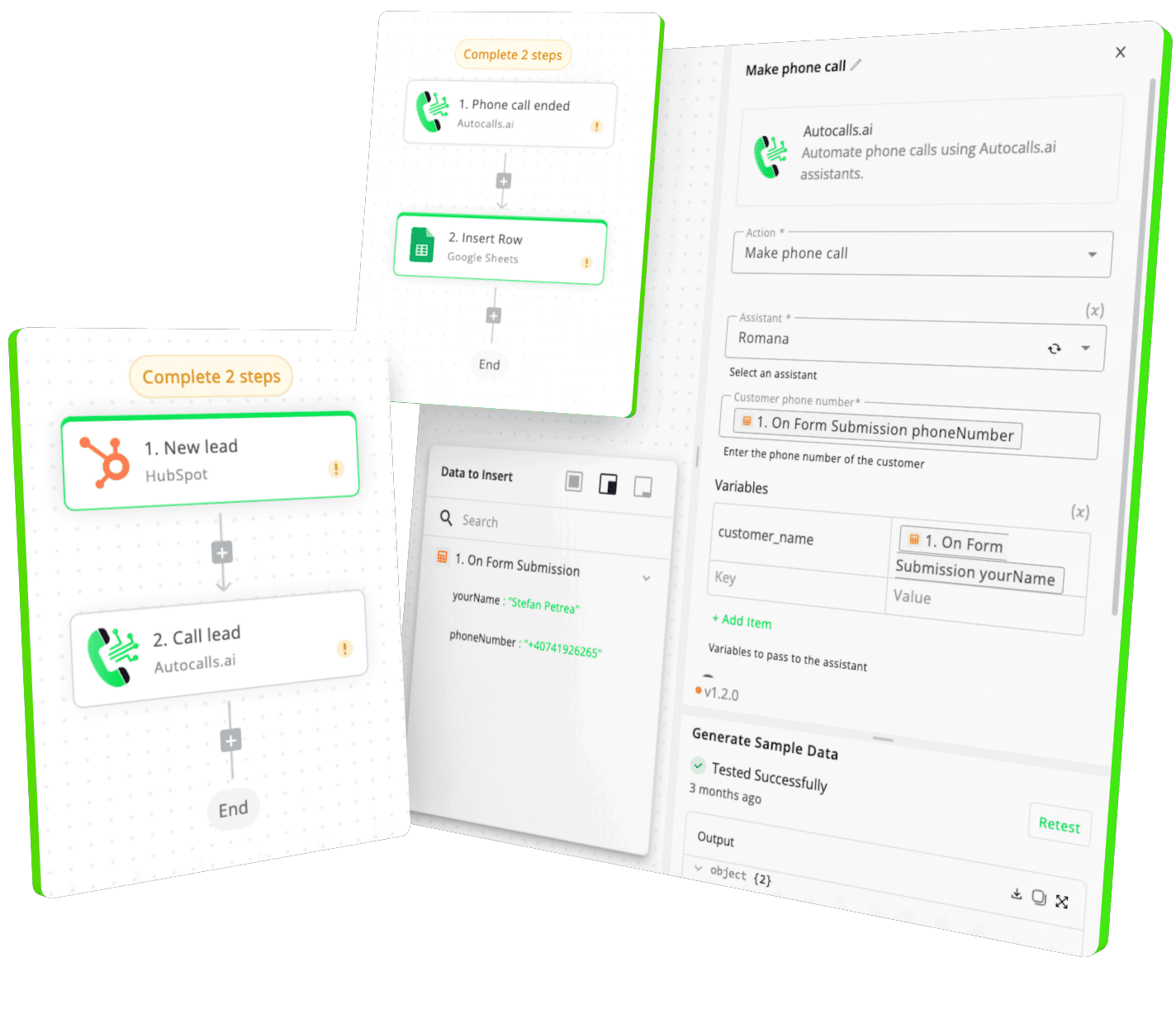
Integrate with popular tools such as HubSpot, GoHighLevel, Zoho, Cal.com & +250 more and build automations using drag and drop.

Autocalls

+250 tools ready to integrate with your AI agents flow in our no-code platform, similar to Zapier or Make.

Autocalls
Similar integrations with Microsoft Dynamics CRM

Frequently Asked Questions 👍

Have a question that is not answered? You can contact us at

Have a question? Contact us

Microsoft Dynamics CRM phone integration connects your CRM records with AI-powered inbound and outbound calling workflows. Your voice agent can retrieve, create, update, or delete records so teams spend less time on admin and more time on conversations.

Yes. A Microsoft Dynamics CRM auto dialer setup can use existing CRM data to power follow-ups, lead nurturing, and outreach at scale. After each call, the system can update records automatically to keep your pipeline accurate.

A Microsoft Dynamics CRM AI dialer helps your team move through call lists faster while keeping record updates consistent. It reduces repetitive tasks, shortens response times, and improves visibility across your sales process.

Yes. Microsoft Dynamics CRM phone automation can update an existing record, create a new one, or trigger custom API actions right after a conversation ends. That means less manual note-taking and more reliable CRM data.

Microsoft Dynamics CRM call automation works well for both sales and support because it keeps customer data tied to each interaction. Teams can handle more conversations with better context and cleaner records.

A Microsoft Dynamics CRM voice agent can answer calls, place outbound calls, qualify leads, and handle follow-ups while interacting with CRM records in real time. It helps businesses deliver faster service and more consistent outreach without adding manual workload.

image image image

Ready to integrate Microsoft Dynamics CRM with AI voice calling agents?

Join thousands of businesses already automating their phone calls with our Microsoft Dynamics CRM integration.
You can get your assistant ready in few minutes.

Autocalls