Connect Google Gemini with Autocalls.ai AI voice agents
Use Google Gemini to power smarter AI phone conversations, faster follow-ups, and better outcomes. Turn every call into useful action without extra manual work.
Connect Google Gemini to your voice workflows so every caller gets more relevant answers, summaries, and next-step recommendations in real time.
Use it to improve appointment booking flows and strengthen your AI answering service with more context-aware responses.
Give your outbound team an AI layer that generates tailored responses, call notes, and next actions based on each live conversation.
It helps your AI cold calling campaigns feel more personal while improving AI call center automation across high-volume outreach.
Use Gemini-generated content from text or images to guide voice agents, answer questions, and trigger more useful customer interactions across channels.
Combine phone workflows with a WhatsApp AI chatbot and expand multilingual support with our supported languages.
Get a hands-on experience by trying a free demo call. Fill in your details, and our AI representative will call you instantly.
Try now a free AI callβ No credit card required β No commitment
Powerful actions you can trigger with Google Gemini to automate your workflows
Chat with Google Gemini
The model to chat with. (For now limited to Gemini Pro, according to Google: "The gemini-pro-vision model (for text-and-image input) is not yet optimized for multi-turn conversations. Make sure to use gemini-pro and text-only input for chat use cases.")
The prompt to generate content from.
A memory key that will keep the chat history. Keep it empty to leave Gemini without memory of previous messages.
Send a custom API call to a specific endpoint
Authorization headers are injected automatically from your connection.
Generate content using Google Gemini using the "gemini-pro" model
The prompt to generate content from.
Generate content using Google Gemini using the "gemini-pro-vision" model
The image to generate content from.
The prompt to generate content from.
Real-world examples of how businesses use Google Gemini integration to automate workflows
Your AI agent uses Chat Gemini to create tailored responses during customer conversations. After the call, your team gets cleaner notes and stronger next-step recommendations.
Use Generate Content to produce targeted call messaging for different customer segments. This helps your outbound team launch faster and keep messaging consistent.
Generate Content from Image lets Gemini interpret photos shared during support or sales workflows. Your voice agent can then respond with more accurate and useful answers.
Use Custom API Call to send data to specific Gemini endpoints for advanced call automation. This gives teams more control over how responses are generated and routed.
Gemini can create natural responses that handle FAQs, objections, and scheduling requests. That helps voice agents book more meetings with less manual intervention.
Use Gemini outputs to power both AI phone conversations and messaging flows. Customers get faster answers across channels while your team manages less repetitive work.
Easily manage AI voice agents without the need for programming skills.
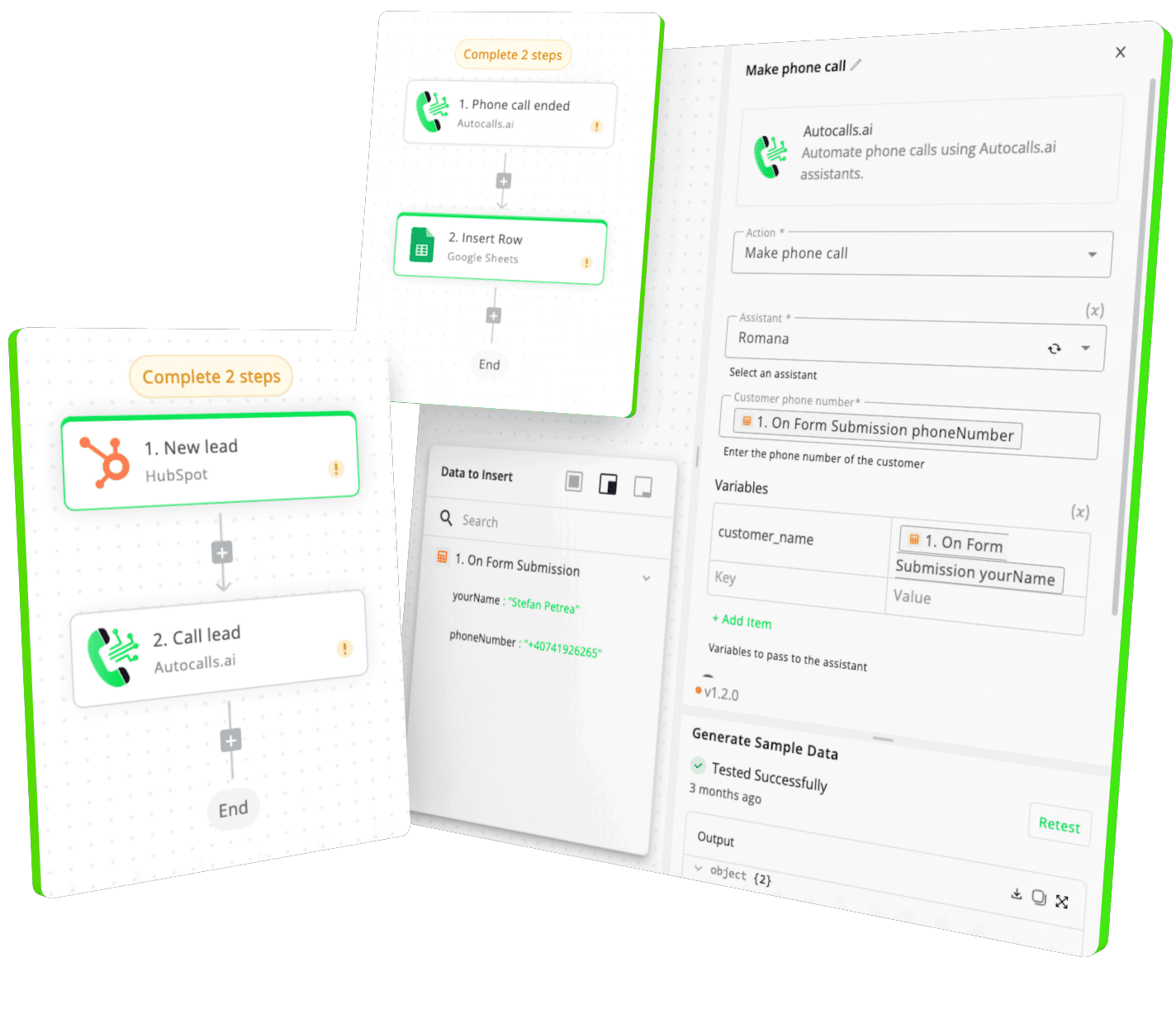
Integrate with popular tools such as HubSpot, GoHighLevel, Zoho, Cal.com & +250 more and build automations using drag and drop.
+250 tools ready to integrate with your AI agents flow in our no-code platform, similar to Zapier or Make.
Have a question that is not answered? You can contact us at
Have a question? Contact usGoogle Gemini phone integration connects Geminiβs text and image generation capabilities to your AI voice workflows. Your agent can use those outputs to answer questions, guide conversations, create summaries, and improve call handling in real time.
Google Gemini itself is not the dialer, but it can power the intelligence behind a Google Gemini auto dialer setup. It helps generate scripts, live responses, and follow-up content that make outbound campaigns more effective.
A Google Gemini AI dialer is typically used to improve outbound calling with smarter messaging and better call logic. It can support lead qualification, follow-ups, appointment setting, and personalized sales conversations.
Yes, Google Gemini phone automation can support both inbound service calls and outbound campaigns. It helps teams respond faster, personalize conversations, and automate repetitive communication tasks.
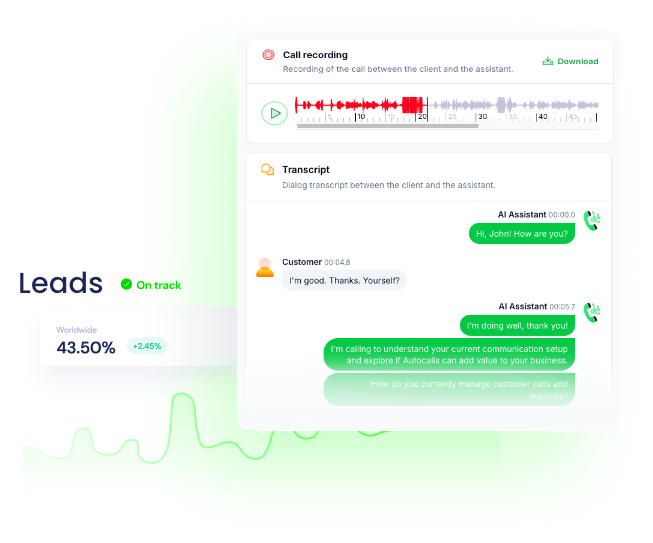
Yes, Google Gemini call automation can generate summaries, suggested next steps, and tailored follow-up content after each conversation. That saves agents time and helps teams move leads or support cases forward faster.
A Google Gemini voice agent adds more intelligence to automated phone interactions by generating relevant answers and contextual responses. This leads to better customer experiences and more productive calls.
Join thousands of businesses already automating their phone calls with our
Google Gemini integration.
You can get your assistant ready in few minutes.
The full path forward. Strategy, scripts, pricing, and the operating cadence agencies use to scale a white-label voice AI business. Free PDF, delivered to your inbox.