NEW Your $0 → $50K MRR voice AI playbook . The full path to a profitable AI voice agency. Free. Get it free
Bloomerang
Autocalls.ai

Connect Bloomerang with Autocalls.ai AI voice agents

Bloomerang AI Voice Call Automation

Turn Bloomerang contact data into smarter outbound and inbound conversations. Automate donor follow-ups, contact updates, and call workflows without extra tools.

General
5 Actions
Autocalls Autocalls
Bloomerang phone integration for faster donor outreach
Smart Sync

Bloomerang phone integration for faster donor outreach

Use Bloomerang contact data to power AI voice conversations that feel timely and relevant. Your team can pull recent contacts, launch targeted follow-ups, and keep records current with less manual work.
Pair it with appointment booking for scheduled donor callbacks or connect broader workflows through integrations.

  • 60% faster contact follow-up
  • 90% less manual data entry
Bloomerang auto dialer with built-in call automation
Auto Dialer

Bloomerang auto dialer with built-in call automation

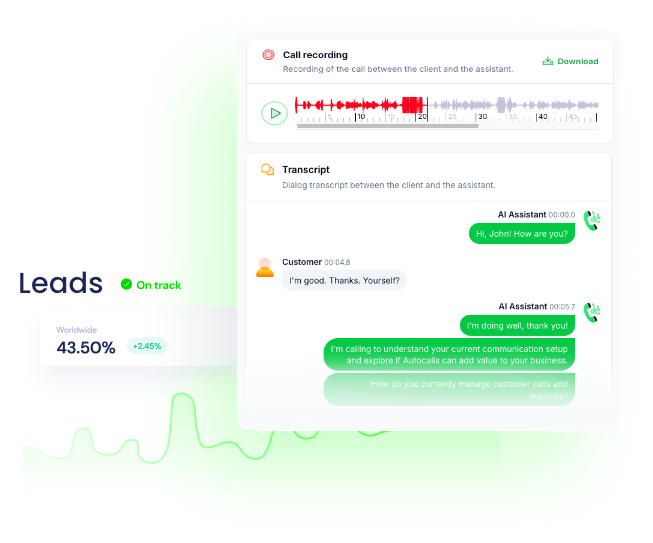
Automatically call supporters, prospects, or lapsed donors using AI agents that work from fresh CRM records. After each conversation, update or create contacts in Bloomerang so your database stays accurate without extra admin time.
It works well for AI call center automation and can support after-hours coverage with an AI answering service.

  • 3x more daily outreach capacity
  • 95% contact record consistency
Bloomerang call automation that keeps records updated
Voice Agent

Bloomerang call automation that keeps records updated

AI voice agents can collect giving details, confirm supporter information, and pass structured updates back into Bloomerang through contact upserts and transaction actions. That means fewer missed follow-ups and a cleaner view of every donor conversation.
Extend outreach with AI cold calling or add a front-desk experience using an AI virtual receptionist.

  • 50% fewer missed follow-ups
  • 2x faster post-call updates

Available Actions

Powerful actions you can trigger with Bloomerang to automate your workflows

Get contacts

Get all contacts after date

Configuration Fields:
IDs list ARRAY

Filters results based on the ID for the constituent.

The number of items to skip NUMBER

The number of items to skip before starting to collect the result set.

The number of items to include NUMBER

The number of items to include in the result set.

Contact type STATIC_DROPDOWN

Select the object

Sorts by Id, CreatedDate, or LastModifiedDate (default Id) SHORT_TEXT

Available values : Id, CreatedDate, LastModifiedDate

Is favorite CHECKBOX

Filters constituents to only constituents the user has favorited.

Sorts the orderBy in ascending or descending order. SHORT_TEXT

Available values : Asc, Desc

Last Modified Date Required SHORT_TEXT

The date to search for contacts modified after

Create a transaction (Advanced)

Create a transaction

Configuration Fields:
Transaction (JSON) Required JSON

The Transaction JSON

Get Transaction Stuff (Advanced)

Get Transaction Stuff

Configuration Fields:
IDs list ARRAY

Filters to object with the IDs in the list (pipe-separated)

The number of items to skip NUMBER

The number of items to skip before starting to collect the result set.

The number of items to include NUMBER

The number of items to include in the result set.

Filters to funds with names SHORT_TEXT

Filters to funds with names that match any part of the search string

Filters to campaigns CHECKBOX

Filters to campaigns that have either non-zero-dollar or zero-dollar goals

Filters to either active or inactive funds CHECKBOX

Filters to either active or inactive funds

Transaction stuff Required STATIC_DROPDOWN

Select the object

Upsert Contact (Search)

Update or create bloomerang contact using the search

Configuration Fields:
Skip NUMBER

The number of items to skip before starting to collect the result set.

Take NUMBER

The number of items to include in the result set.

Search Required SHORT_TEXT

The text to search

Contact (JSON) Required JSON

The Contact JSON

Contact type STATIC_DROPDOWN

Select the object

Upsert Contact (Duplicates)

Update or create bloomerang contact using duplicates

Configuration Fields:
Type SHORT_TEXT

Type

Street SHORT_TEXT

Street

Last name SHORT_TEXT

Last name

First name SHORT_TEXT

First name

Contact (JSON) Required JSON

The Contact JSON

Phone number SHORT_TEXT

Phone number

Email SHORT_TEXT

Email

Organization name SHORT_TEXT

Organization name

Autocalls Autocalls

Examples of automation flows

Real-world examples of how businesses use Bloomerang integration to automate workflows

Call recent donors automatically

Pull contacts added after a selected date and launch AI follow-up calls. Your team reaches more donors while keeping outreach focused on fresh records.

Update supporter records after every call

AI agents collect new contact details during conversations and send them back to Bloomerang. This keeps donor profiles current without manual CRM cleanup.

Create transactions from confirmed pledges

When a donor confirms a pledge on the phone, the workflow creates a transaction in Bloomerang. Finance and fundraising teams get faster visibility into committed giving.

Recover incomplete donor profiles

Use AI calls to confirm missing supporter details and upsert the contact using search. This helps reduce duplicate work and improves future campaign targeting.

Resolve duplicate contact records by phone

AI agents verify donor identity during outreach and update records through duplicate-aware contact upserts. Your Bloomerang database stays cleaner and easier to trust.

Check transaction details before follow-up

Retrieve transaction information from Bloomerang before placing a call. The AI agent can speak with better context and deliver more relevant donor conversations.

Integrate with popular tools using our no-code platform

Easily manage AI voice agents without the need for programming skills.

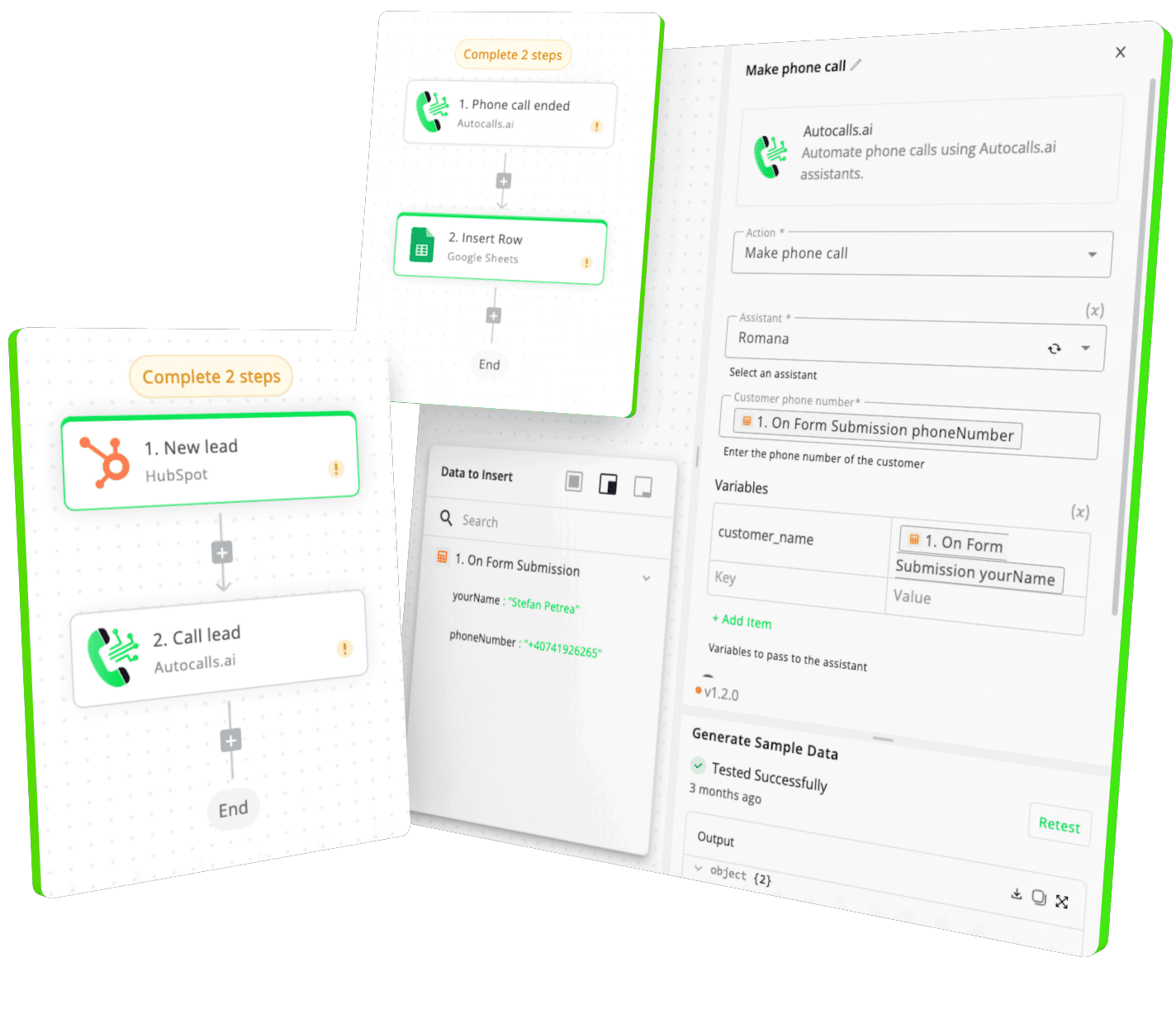
Integrate with popular tools such as HubSpot, GoHighLevel, Zoho, Cal.com & +250 more and build automations using drag and drop.

Autocalls

+250 tools ready to integrate with your AI agents flow in our no-code platform, similar to Zapier or Make.

Autocalls
Similar integrations with Bloomerang

Frequently Asked Questions 👍

Have a question that is not answered? You can contact us at

Have a question? Contact us

A Bloomerang phone integration connects your donor CRM data with AI voice workflows so calls can use current contact and transaction information. With Autocalls, you can retrieve contacts, update records, and automate follow-up conversations in one flow.

A Bloomerang auto dialer helps teams call more supporters in less time without relying on manual dialing. It can prioritize recent contacts, support follow-up campaigns, and push contact updates back into Bloomerang after each conversation.

Yes. A Bloomerang AI dialer can collect corrected phone numbers, names, and other donor details during the call, then upsert that contact in Bloomerang using search or duplicate handling. This reduces admin work and improves CRM accuracy.

Bloomerang phone automation helps you call the right people at the right time using current CRM data. It also reduces delays by automatically creating or updating records after conversations, so no one has to re-enter notes manually.

Bloomerang call automation can use transaction actions to create new transactions or retrieve transaction details for better call context. This is useful for pledge confirmations, donation follow-ups, and keeping fundraising activity organized.

Yes. A Bloomerang voice agent can answer questions, confirm supporter details, guide next steps, and support follow-up campaigns using information pulled from your CRM. It gives your team more coverage without increasing call workload.

image image image

Ready to integrate Bloomerang with AI voice calling agents?

Join thousands of businesses already automating their phone calls with our Bloomerang integration.
You can get your assistant ready in few minutes.

Autocalls