NEW Your $0 → $50K MRR voice AI playbook . The full path to a profitable AI voice agency. Free. Get it free
User Input
Autocalls.ai

Connect User Input with Autocalls.ai AI voice agents

User Input AI Voice Automation

Turn messages and form submissions into instant AI voice actions. Use User Input to launch faster follow-ups, smarter call automation, and better customer conversations.

Core
3 Actions
2 Triggers
Autocalls Autocalls
Turn User Input into phone integration that acts fast
Instant Triggers

Turn User Input into phone integration that acts fast

Use Chat Input and Form Input to launch AI-driven follow-ups the moment a lead reaches out, helping your team respond while intent is still high.
Pair this with appointment booking and an AI answering service to capture requests, confirm details, and keep every conversation moving.

  • 60% faster lead response
  • 24/7 instant trigger handling
Build User Input auto dialer workflows for better call automation
Smart Routing

Build User Input auto dialer workflows for better call automation

When a customer sends a message or submits a form, your workflow can trigger the right next step and return a chat, markdown reply, or file without manual work.
Connect it with AI call center automation and integrations to route inquiries, qualify leads, and reduce response delays across channels.

  • 50% lower manual workload
  • 3x faster inquiry routing
Use User Input voice agent flows to improve every customer response
Better Outcomes

Use User Input voice agent flows to improve every customer response

Give customers clear next steps by returning helpful files, formatted markdown, or chat responses after each trigger, so they get answers without waiting on staff.
Combine User Input with an AI virtual receptionist or WhatsApp AI chatbot to support inbound questions and keep service consistent at scale.

  • 90% faster information delivery
  • 2x more completed conversations

Available Actions

Powerful actions you can trigger with User Input to automate your workflows

Return Form Response (File)

Return a file as a response.

Configuration Fields:
File Required FILE

Return Form Response (Markdown)

Return a markdown as a response.

Configuration Fields:
Markdown Required LONG_TEXT

Return Chat Response

Return a chat as a response.

Configuration Fields:
Chat ID Required SHORT_TEXT

Use the `chatId` field from the chat trigger output.

Markdown Required LONG_TEXT
Autocalls Autocalls

Available Triggers

Events in User Input that can automatically start your workflows

Chat Input

Trigger the flow by sending a message

Configuration Fields:
Markdown MARKDOWN

**Chat URL for this flow:** ```text {{chatUrl}} ```

Form Input

Trigger the flow by submitting a form.

Configuration Fields:
Markdown MARKDOWN

**Published Form URL:** ```text {{formUrl}} ``` Use this for production, views the published version of the form. <br> <br> **Draft Form URL:** ```text {{formUrl}}?useDraft=true ``` Use this to generate sample data, views the draft version of the from.

Inputs Required ARRAY
Wait for Response Required CHECKBOX

If enabled, the form will return the flow output to the frontend. Make sure to use the "Return Form Response" action to return a response.

Autocalls Autocalls

Examples of automation flows

Real-world examples of how businesses use User Input integration to automate workflows

Instant lead follow-up from chat

A Chat Input can trigger an AI response the moment a prospect sends a message. This helps your team engage faster and qualify demand before interest fades.

Form submissions that return next steps

A Form Input can automatically send a markdown response with booking details or instructions. Customers get immediate guidance without waiting for a callback.

Support intake with file responses

When a customer submits a form, the workflow can return a file with FAQs, pricing, or onboarding info. This reduces repeat questions and speeds up resolution.

AI call automation after inquiries

Chat Input can trigger a workflow that prepares the next customer interaction based on the message context. Your AI system responds faster and keeps outreach relevant.

Better handoffs for sales teams

Form Input can capture intent and return a chat response that confirms what happens next. Sales teams get cleaner handoffs and fewer missed opportunities.

Self-serve answers across channels

A customer message can trigger a fast automated response with helpful content in chat or markdown. This improves service speed while reducing repetitive work for agents.

Integrate with popular tools using our no-code platform

Easily manage AI voice agents without the need for programming skills.

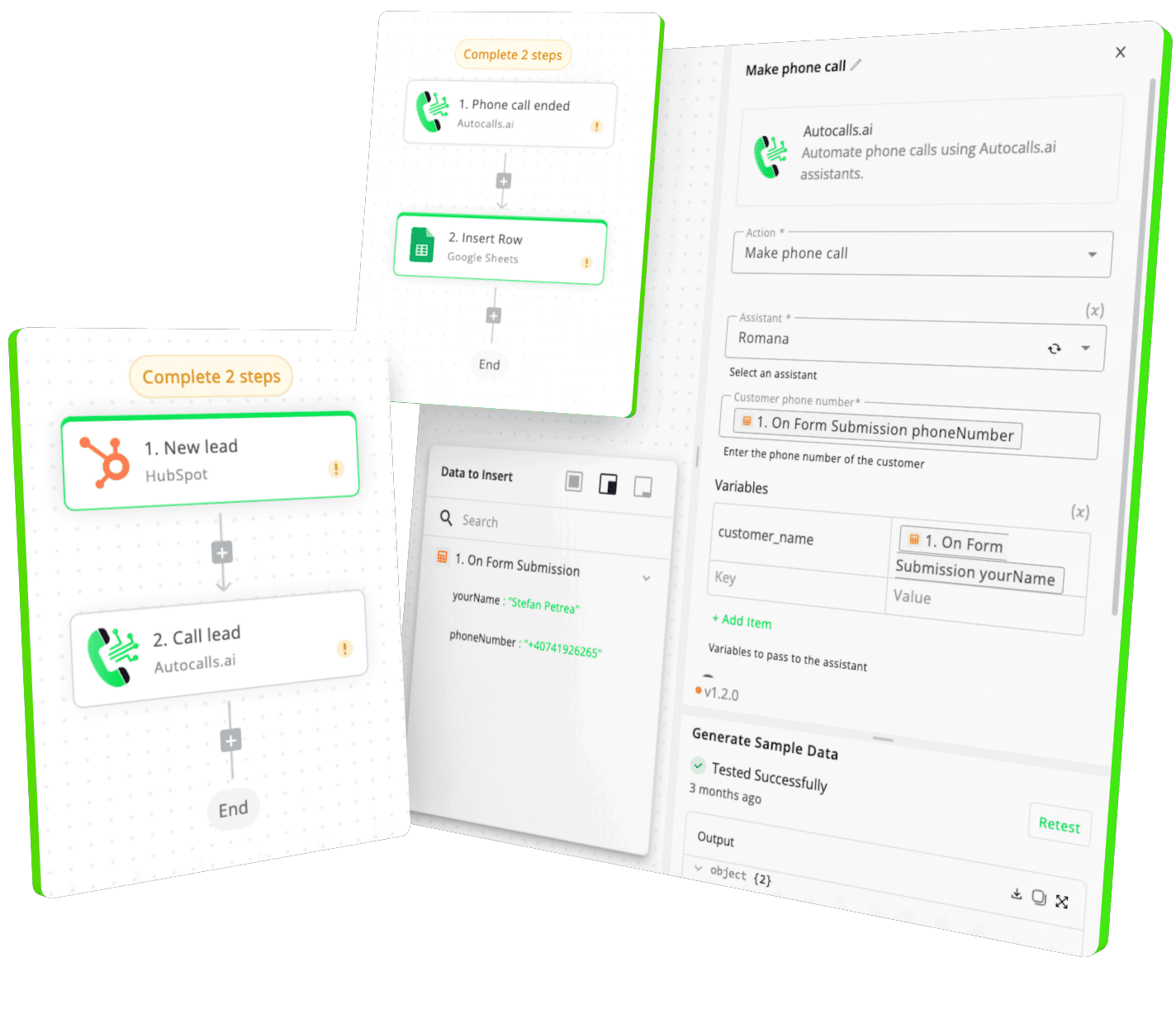
Integrate with popular tools such as HubSpot, GoHighLevel, Zoho, Cal.com & +250 more and build automations using drag and drop.

Autocalls

+250 tools ready to integrate with your AI agents flow in our no-code platform, similar to Zapier or Make.

Autocalls
Similar integrations with User Input

Frequently Asked Questions 👍

Have a question that is not answered? You can contact us at

Have a question? Contact us

User Input phone integration lets Chat Input or Form Input trigger automated workflows tied to your AI voice operations. That means customer messages and submissions can instantly start the right response path, improving speed and consistency.

Yes, User Input auto dialer workflows can help you react faster when a lead sends a message or fills out a form. You can trigger the next action immediately, reducing delays and helping your team contact high-intent leads sooner.

Yes, User Input AI dialer workflows are useful for both inbound request handling and outbound follow-up logic. They help organize responses based on what the customer sends, so outreach stays timely and relevant.

With User Input phone automation, you can trigger workflows from messages or forms and return chat responses, markdown, or files automatically. This is useful for lead qualification, support replies, confirmations, and follow-up communication.

User Input call automation helps you respond the moment a customer takes action, which is often when conversion intent is strongest. It also reduces repetitive admin work and makes sure every inquiry gets a consistent response.

Yes, a User Input voice agent workflow can improve customer experience by making responses faster, clearer, and more consistent. Customers get immediate next steps instead of waiting for someone to manually review their request.

image image image

Ready to integrate User Input with AI voice calling agents?

Join thousands of businesses already automating their phone calls with our User Input integration.
You can get your assistant ready in few minutes.

Autocalls