Contact Center Automation: The Complete Guide for 2026
Contact center automation is transforming how businesses handle customer calls, messages, and support tickets. This guide covers what contact center automation is, the technologies behind it, real-world use cases, implementation steps, and how modern AI voice agents are making traditional IVR systems obsolete — with practical advice for businesses of every size.
What Is Contact Center Automation?
Contact center automation is the use of technology — particularly artificial intelligence, machine learning, and robotic process automation — to handle customer interactions and back-office tasks that were traditionally performed by human agents.
Instead of a customer waiting on hold for 15 minutes to confirm an appointment, an automated system handles it in 30 seconds. Instead of an agent manually logging call notes into a CRM after every conversation, the system does it automatically. Instead of hiring 20 more agents for the holiday rush, automation scales instantly.
💡 The shift in 2026: Contact center automation has moved beyond simple IVR menus ("press 1 for billing"). Modern AI-powered automation can hold natural, human-like conversations, understand context, and take actions — booking appointments, processing orders, and resolving issues without any human involvement.
The global contact center automation market is projected to reach $4.1 billion by 2027, growing at a CAGR of 23.7%. That growth is driven by a simple reality: customer expectations are rising while labor costs keep climbing. Automation bridges the gap.
Contact Center Automation vs. Traditional Call Centers
| Aspect | Traditional Call Center | Automated Contact Center |
|---|---|---|
| Availability | Business hours only (or expensive night shifts) | 24/7/365 — AI never sleeps |
| Wait time | 5-20 minutes on hold | Instant — answered in seconds |
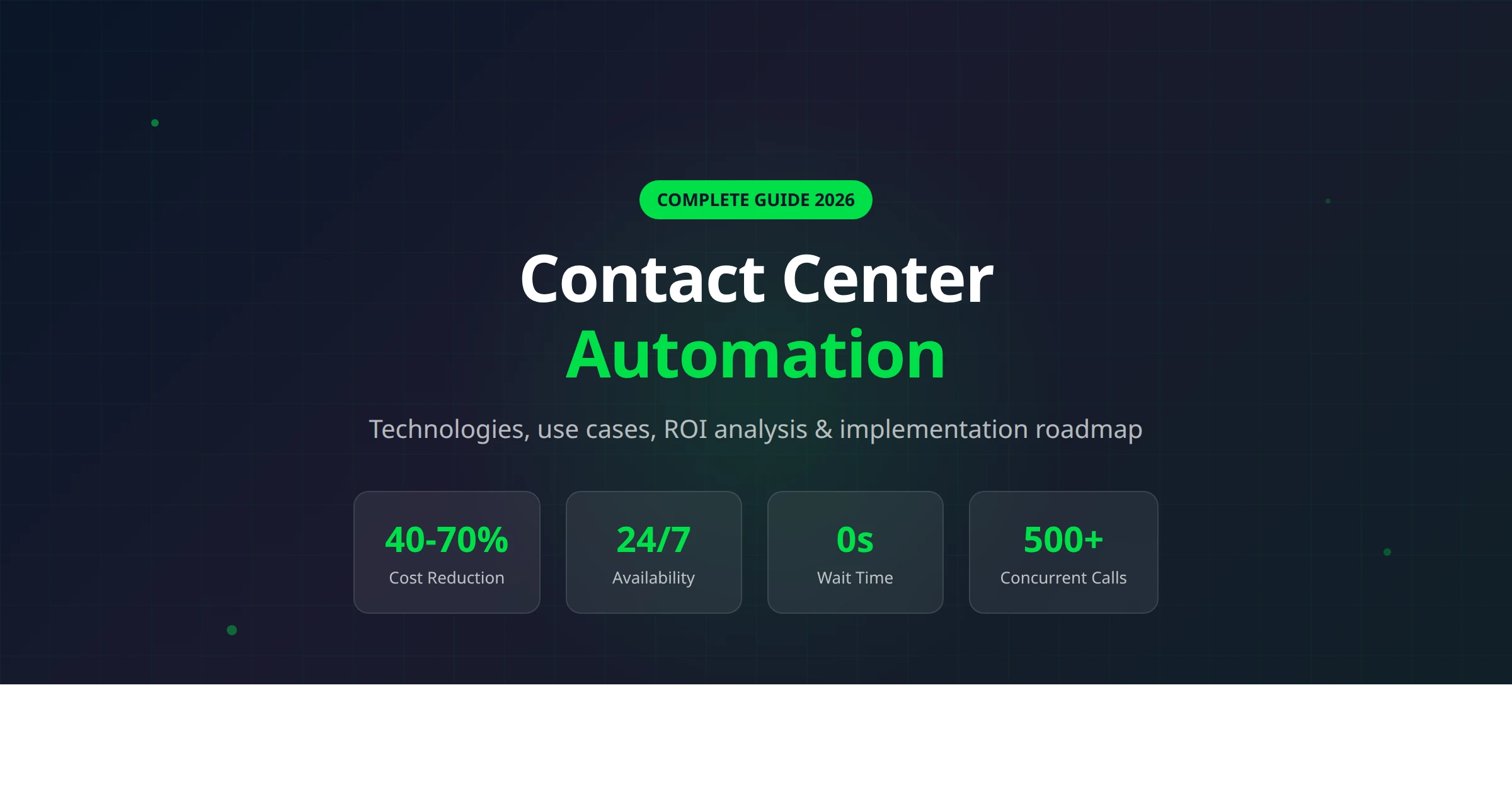
| Scalability | Hire, train, ramp (4-8 weeks) | Instant scaling — handle 500+ concurrent calls |
| Cost per interaction | $5-12 per call | $0.50-2.00 per call |
| Consistency | Varies by agent mood, skill, training | 100% consistent every interaction |
| Languages | Limited by staff (hiring multilingual = expensive) | 30+ languages out of the box |
| Data capture | Manual notes (often incomplete) | Automatic — full transcript + structured data |
Types of Contact Center Automation
Not all automation is created equal. Here are the main categories, from basic to advanced:
1. Interactive Voice Response (IVR)
The oldest form of contact center automation. Traditional IVR uses pre-recorded menus ("press 1 for sales, press 2 for support") to route callers. While still ubiquitous, customers hate it — 83% of consumers say they'll avoid a company after a poor IVR experience.
Modern conversational IVR uses speech recognition so callers can speak naturally instead of pressing buttons, but it's still limited to routing — it can't actually resolve issues.
2. Chatbots & Virtual Assistants
Text-based automation for web chat, SMS, and messaging apps like WhatsApp. Today's chatbots powered by large language models (LLMs) are vastly more capable than the rule-based bots of 2020. They can understand context, handle multi-turn conversations, and resolve common inquiries without human intervention.
3. AI Voice Agents
The newest and most transformative category. AI voice agents are intelligent systems that conduct full phone conversations — answering calls, asking and answering questions, booking appointments, qualifying leads, and escalating complex cases to humans. Unlike IVR, they sound natural and can handle unexpected questions.
Platforms like Autocalls have made AI voice agents accessible to businesses of all sizes, with no-code setup and all-inclusive pricing starting at $34/month.
4. Robotic Process Automation (RPA)
RPA handles the back-office side: updating records, processing refunds, sending follow-up emails, generating reports. It's the "invisible" automation that frees agents from repetitive data entry so they can focus on complex customer issues.
5. Predictive Analytics & Routing
AI analyzes incoming customer data (past interactions, sentiment, issue type) to predict the best routing path. A high-value customer with a billing issue gets routed to a senior agent. A simple FAQ question gets handled by AI. This intelligent routing can reduce average handle time by 25-40%.
6. Omnichannel Automation
The most advanced approach unifies automation across all channels — phone, WhatsApp, web chat, email, SMS — with a single customer context. A customer who starts a conversation on chat and calls later doesn't have to repeat themselves. Autocalls is the industry's first platform to offer full white-label omnichannel automation across voice, WhatsApp, and chat.
Key Benefits of Contact Center Automation
💰
40-70% Cost Reduction
Automation handles routine inquiries at a fraction of the cost of human agents. The average contact center saves $5-8 per automated interaction.
⚡
Zero Wait Time
AI answers instantly. No hold music, no queue, no "your call is important to us" while customers wait 20 minutes.
🌐
24/7 Availability
Serve customers at midnight, on holidays, during peak hours. AI doesn't call in sick or need vacation days.
📈
Instant Scalability
Handle 10 calls or 10,000 calls with the same infrastructure. No hiring, training, or office space needed.
🎯
Improved CSAT Scores
Faster resolution + consistent quality = happier customers. Companies using AI automation report 15-25% improvements in customer satisfaction.
🧑💼
Agent Empowerment
Automation handles the repetitive 70%. Human agents focus on complex, high-value interactions they actually enjoy — reducing burnout and turnover.
💡 ROI reality check: According to McKinsey, companies that fully deploy AI-based contact center automation see a 20-30% increase in customer satisfaction and a 30-45% reduction in operational costs within the first year.
Core Technologies Powering Contact Center Automation
Natural Language Processing (NLP) & Understanding (NLU)
NLP is the foundation. It enables machines to understand human language — not just keywords, but intent, sentiment, and context. In 2026, large language models (LLMs) like GPT-4 and Claude have made NLU dramatically more accurate, enabling AI to handle nuanced conversations that would have confused systems just two years ago.
Speech-to-Text (STT) & Text-to-Speech (TTS)
For voice automation, real-time speech recognition converts caller speech to text for the AI to process, and TTS converts AI responses back to natural-sounding speech. Providers like Deepgram (STT) and ElevenLabs (TTS) have pushed quality to the point where most callers can't distinguish AI from human voices.
Conversational AI & Dialogue Management
This is the "brain" that manages multi-turn conversations. It tracks context ("You mentioned your order number earlier — let me look that up"), handles interruptions, and decides when to escalate to a human. Autocalls' Dualplex™ technology takes this further with full-duplex processing — the AI can listen and think simultaneously, just like a human, resulting in more natural conversations with near-zero latency.
CRM & API Integrations
Automation is only as good as the data it can access. Modern platforms integrate with CRMs (Salesforce, HubSpot, GoHighLevel), calendars, payment systems, and hundreds of business tools via APIs and webhooks. This lets AI agents pull up customer records, book real appointments, and trigger workflows in real-time during conversations.
Analytics & Machine Learning
Every automated interaction generates data. ML models analyze patterns to improve routing, predict customer needs, identify common pain points, and optimize scripts. This creates a continuous improvement loop that human-only operations can't match.
Contact Center Automation Use Cases by Industry
🏥 Healthcare
Healthcare contact centers handle some of the highest-volume, most repetitive calls: appointment scheduling, prescription refills, insurance verification, and test result callbacks. AI automation can handle 60-80% of these without human intervention.
- Appointment scheduling & reminders — AI books, confirms, and reschedules patient appointments 24/7
- Prescription refill requests — automated verification and pharmacy routing
- Insurance eligibility checks — instant verification against payer databases
- Post-visit follow-ups — automated wellness check calls and survey collection
An AI medical receptionist can handle appointment calls while ensuring HIPAA-compliant interactions — something that was impossible just two years ago.
🏠 Real Estate
Real estate agents miss an estimated 40% of inbound calls because they're at showings. Each missed call is a potential $10,000+ commission walking away.
- Lead qualification — AI asks about budget, timeline, preferences, and schedules showings
- Property inquiries — instant answers about listings, pricing, and availability
- Open house follow-ups — automated outbound calls to attendees
- Appointment scheduling — direct calendar integration for viewings
⚖️ Legal
- Client intake — AI gathers case details, contact info, and urgency level
- Appointment scheduling — books consultations directly on attorney calendars
- Case status updates — clients can call anytime to check progress
- After-hours emergency routing — AI identifies truly urgent matters and escalates
🛒 E-commerce & Retail
- Order status & tracking — the #1 reason customers call, easily automated
- Returns & exchanges — AI walks customers through the process
- Product recommendations — personalized suggestions based on purchase history
- Inventory inquiries — real-time stock checks and store availability
💳 Financial Services
- Account balance & transaction inquiries — instant automated responses
- Fraud alerts — AI calls customers to verify suspicious transactions
- Loan status updates — automated pipeline updates and document requests
- Payment reminders — outbound collection calls with payment processing
🔧 Home Services & HVAC
- Service scheduling — AI books appointments based on technician availability
- Emergency dispatching — prioritizes urgent calls (burst pipe, no heat)
- Quote requests — gathers job details for accurate estimates
- Maintenance reminders — proactive outbound scheduling for recurring service
AI Voice Agents: The Next Evolution of Contact Center Automation
If traditional automation (IVR, chatbots, RPA) was Contact Center Automation 1.0, then AI voice agents are version 2.0. They don't just route calls or answer basic questions — they conduct full, natural conversations that resolve issues end-to-end.
What Makes AI Voice Agents Different
🗣️
Natural Conversation
Full-duplex voice with interruption handling, filler words, and natural pacing
🧠
Context Awareness
Remembers conversation history, adapts to unexpected questions, follows multi-step logic
⚡
Real-Time Actions
Books appointments, processes payments, updates CRMs — all during the live call
🔄
Smart Escalation
Knows when to transfer to a human — with full context, no repetition needed
How Modern AI Voice Agents Work
- Call arrives — AI answers instantly (no IVR menu, no hold time)
- Speech recognition — converts caller's words to text in real-time (Deepgram, Google STT)
- Intent understanding — LLM processes the request and determines the best response
- Action execution — AI takes action: queries database, books appointment, transfers call
- Voice response — natural TTS delivers the response (ElevenLabs, Cartesia)
- Post-call — transcript, summary, and structured data automatically saved to CRM
The entire cycle happens in under 500 milliseconds. With technologies like Autocalls' Dualplex™, the AI can even listen and process simultaneously (full-duplex), creating conversations that feel indistinguishable from human agents.
Hear an AI voice agent in action. No signup required.
How to Implement Contact Center Automation (Step-by-Step)
Step 1: Audit Your Current Operations
Before automating anything, you need data. Analyze your call logs for the past 3-6 months:
- What are the top 10 reasons customers call?
- What percentage of calls are repetitive/routine?
- What's your average handle time (AHT) per call type?
- What's your first-call resolution (FCR) rate?
- Where are the bottlenecks (hold times, transfers, callbacks)?
Most contact centers find that 60-80% of inbound calls are repetitive — appointment scheduling, order status, hours/location, basic troubleshooting. These are your automation targets.
Step 2: Define Your Automation Goals
Set specific, measurable targets:
- Reduce average hold time from 12 minutes to under 30 seconds
- Automate 50% of appointment scheduling calls within 60 days
- Achieve 24/7 coverage without adding night shift staff
- Reduce cost per interaction from $8 to $2
Step 3: Choose the Right Technology
Match the automation level to your needs:
- Basic needs (routing only): Modern IVR with speech recognition
- Text channels: AI chatbot for web chat and WhatsApp
- Full voice automation: AI voice agent platform (recommended for highest ROI)
- Enterprise omnichannel: Unified platform covering voice + messaging + chat
💡 Pro tip: Choose an all-inclusive platform where voice AI, transcription, and LLM costs are bundled. Platforms that require "bring your own keys" (BYOK) for OpenAI, ElevenLabs, and Deepgram will cost 2-3x more once you add up all the API fees. Autocalls includes everything at $0.09/min on the Agency plan — no hidden API costs.
Step 4: Start Small, Scale Fast
Don't try to automate everything at once. Pick your highest-volume, simplest call type (usually appointment scheduling or order status) and automate that first. Measure results for 2-4 weeks, optimize, then expand to the next call type.
Step 5: Integrate with Existing Systems
The biggest factor in automation success is integration. Your AI needs access to:
- CRM — customer records, interaction history (Salesforce, HubSpot, GoHighLevel)
- Calendar — real-time availability for scheduling (Google Calendar, Cal.com)
- Ticketing — create and update support tickets (Zendesk, Freshdesk)
- Payment — process transactions during calls (Stripe, Square)
Step 6: Monitor, Measure, Optimize
Track these KPIs weekly:
- Automation rate — % of calls fully handled without human intervention
- CSAT score — customer satisfaction with automated interactions
- Containment rate — % of calls that don't require escalation
- Average handle time — should decrease as AI handles simple calls
- Cost per interaction — the ultimate ROI metric
Top Contact Center Automation Tools in 2026
Here's how the leading platforms compare for businesses looking to automate their contact center:
| Platform | Best For | Channels | Pricing Model | Key Differentiator |
|---|---|---|---|---|
| Autocalls ⭐ | SMBs, agencies, white-label | Voice + WhatsApp + Chat | All-inclusive from $0.09/min | Only omnichannel + full white-label platform; Dualplex™ voice |
| NICE CXone | Enterprise | Voice + Digital | Custom enterprise pricing | WFM, analytics, agent assist |
| Genesys Cloud | Mid-market to Enterprise | Voice + Digital | Per-user/month ($75-150) | Predictive routing, journey analytics |
| Five9 | Mid-market | Voice + Digital | Per-seat ($175+/mo) | Agent desktop, campaign management |
| Synthflow | Voice AI startups | Voice only | BYOK + per-minute | No-code builder, basic voice AI |
| Vapi | Developers | Voice only | BYOK + per-minute | Developer-first API, flexibility |
⚠️ Watch out for hidden costs: Many AI voice platforms advertise low per-minute rates ($0.05-0.07/min) but require you to bring your own API keys for LLMs, voice synthesis, and transcription. Once you add OpenAI ($0.03-0.06/min), ElevenLabs ($0.15+/min), and Deepgram ($0.01/min), your real cost can exceed $0.25/min. Always compare the total cost, not just the platform fee.
ROI & Cost Analysis: Is Contact Center Automation Worth It?
Let's run the numbers for a mid-size business handling 500 inbound calls per day:
Before Automation
| Daily call volume | 500 calls |
| Average handle time | 6 minutes |
| Agents needed | 15-20 full-time |
| Cost per agent/year | $38,000 (salary + benefits + training) |
| Total annual cost | $570,000 - $760,000 |
After Automation (60% automated, 40% human-handled)
| AI-handled calls (300/day) | 3 min avg × $0.09/min = $0.27/call = $81/day |
| Human-handled calls (200/day) | 8 agents needed (down from 15-20) |
| AI annual cost | $29,565 (at $0.09/min all-inclusive) |
| Human agent cost (8 agents) | $304,000 |
| Total annual cost | $333,565 |
| Annual savings | $236,435 - $426,435 (40-56%) |
And that doesn't factor in the revenue gained from 24/7 availability, zero hold times, and fewer abandoned calls. For most businesses, the ROI timeline is 2-4 months.
Contact Center Automation Best Practices
✅ Always Offer Human Escalation
No AI is perfect. Give customers a clear, easy path to reach a human when needed. "I can transfer you to a team member — would you like that?" builds trust.
✅ Be Transparent About AI
Don't try to pass AI off as human. Today's customers are fine talking to AI — 62% prefer it for simple tasks — as long as they know what they're getting.
✅ Start With Quick Wins
Automate the 20% of call types that represent 80% of volume first. Appointment scheduling, order status, and FAQs are almost always the best starting points.
✅ Monitor & Iterate
Listen to automated call recordings weekly. AI will occasionally misunderstand — catch these early and refine your conversation flows.
❌ Don't Automate Everything
Complaints, emotional situations, and complex negotiations still need human empathy. The goal is human-AI collaboration, not full replacement.
❌ Don't Skip Integration
An AI agent that can't check orders or book appointments is just a fancy IVR. Invest time in CRM/calendar integrations — it's the difference between "nice demo" and "business-critical tool."
The Future of Contact Center Automation
We're at an inflection point. The technologies that make contact center automation viable — large language models, real-time speech synthesis, and API-first architectures — have all crossed the quality threshold in the last 18 months. Here's what's coming next:
Proactive Outreach
Instead of waiting for customers to call, AI will initiate conversations: appointment reminders, payment follow-ups, satisfaction surveys, renewal offers, and proactive service notifications. Outbound automation is already the fastest-growing segment.
Emotional Intelligence
AI is getting better at detecting frustration, confusion, and urgency in real-time. Future systems will adjust their tone, pace, and escalation triggers based on emotional cues — handling happy customers differently from frustrated ones.
Full Omnichannel Continuity
The next standard will be seamless handoffs between channels. A customer starts on WhatsApp, continues via phone call, follows up on web chat — and the AI has full context throughout. Autocalls is already building this with unified voice + WhatsApp + chat on a single platform.
Agent Augmentation
For calls that need humans, AI will sit alongside agents: suggesting responses, pulling up relevant information, auto-filling forms, and providing real-time coaching. The human agent becomes a supervisor with AI doing the heavy lifting.

 5.0
5.0 5.0
5.0Frequently Asked Questions
Ready to automate your contact center? — try a free demo call
Hear how an AI voice agent handles a real phone conversation. No signup required — just your phone number and 30 seconds.
Try a Free Demo Call →✓ No credit card required ✓ No commitment ✓ Live AI call in 30 seconds